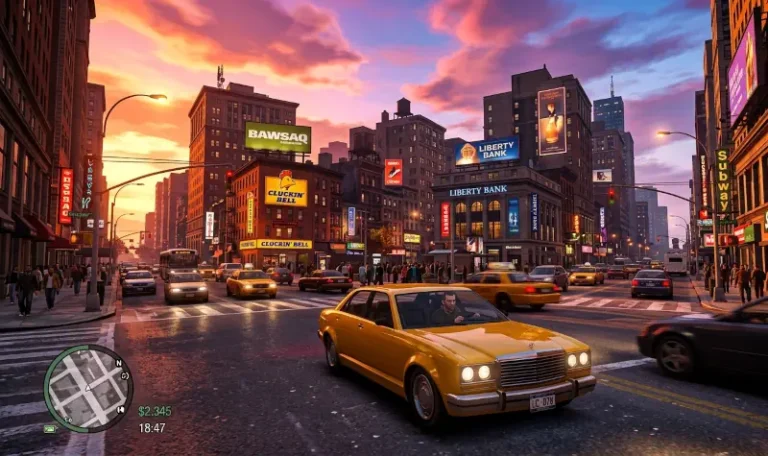
The definitive guide for optimizing your Grand Theft Auto IV & EFLC experience in 2026. This documentation is designed to help both new and returning players navigate the complexities of modernizing Liberty City, ensuring a stable and visually restored experience across all major game versions. To maintain the professional standards expected at HelixPedia, this guide highlights version-specific mods while providing the most widely accepted alternatives for whichever version you choose to run.
Understanding Game Versions and Global Dependencies
Before diving into specific mods, it is important to understand the two primary environments for GTA IV. Most players start with the modern Steam or Rockstar Games Launcher (RGL) Complete Edition (CE). However, many in the community prefer the Classic state (v1.0.7.0 or v1.0.8.0) for maximum mod compatibility. Regardless of your version, this guide will keep you covered!
Similar to GTA Essential Tools & Must-Have Fixes for: GTA 3, Vice City, San Andreas, GTA IV, GTA V.
Tier 1: The Absolute Essentials (Global Dependencies)
These are the “Ground Zero” files required for every other mod on this list to function.
- GTA IV Downgrader Utility – Tag: [Universal, CE+CLASSIC] The standard for converting Steam/Rockstar versions to the mod-friendly 1.0.8.0/1.0.7.0 state.
- Ultimate ASI Loader – Tag: [Universal, CE+CLASSIC] Required to load
.asiplugins. This is the mandatory “engine” for almost every fix on this list. - GTA IV FusionFix – Tag: [Universal, CE+CLASSIC] Fixes lighting, z-fighting, and restores console effects.
- Alternative (Classic): While FusionFix works on Classic with a legacy addon, ZolikaPatch remains the primary alternative for core engine fixes on legacy versions.
- ZolikaPatch – Tag: [Classic Only] Essential for fixed physics at high FPS and preventing infinite loading.
- Alternative (CE): FusionFix is the most accepted modern alternative that provides similar graphical and engine stability for CE.
- DXVK (Vulkan Wrapper) – Tag: [Universal, CE+CLASSIC] Translates DX9 to Vulkan to eliminate stuttering and boost performance.
Tier 2: The Scripting & Optimization Engines
These tools expand the game’s limits and restore cut content that modern versions lack.
- Fusion OverLoader (Included with FusionFix)Tag: [Universal, CE+CLASSIC] A non-destructive ModLoader that uses an
updatefolder to keep your game files clean.- Alternative (Classic): IV Tweaker is the widely used alternative for managing file overrides on legacy patches.
- IVSDK .NET – Tag: [Classic Only] A modern framework replacing the old Scripthook for C# mods.
- Alternative (CE): ScriptHookDotNet is the standard for running scripts on the modern Complete Edition.
- Various Fixes – Tag: [Universal, CE+CLASSIC] A massive restoration of broken map textures and misplaced objects.
- Radio Restoration – Tag: [CE Only] A specialized tool to restore songs removed from the modern digital releases.
- GTA IV Setup Utility – Tag: [Universal, CE+CLASSIC] Automatically optimizes your
commandline.txtto prevent memory crashes.
Tier 3: The Recommended Quality Foundation
These provide the professional polish and stability expected for a “definitive” playthrough.
- GInput IV – Tag: [Universal, CE+CLASSIC] Adds native support and icons for Xbox, DualSense, and Steam Deck controllers. Note: While GInput is heavily used for older GTA titles, for GTA 4, it’s often used in conjunction with X360ce for optimal controller performance.
- Liberty Tweaks – Tag: [Classic Only] An overhaul adding gameplay features like quick-saving and better AI.
- Alternative (CE): There is no direct 1:1 overhaul for CE, but FusionFix handles many of the rendering and shader improvements found in LT.
- Console Visuals – Tag: [Universal, CE+CLASSIC] Restores the original color grading and atmosphere of the Xbox 360/PS3 versions.
- Project 2DFX for IV (Included in FusionFix)Tag: [Universal, CE+CLASSIC] Increases draw distance for lights, making the city look alive at night.
- CrashInfo for IV – Tag: [Universal, CE+CLASSIC] A professional diagnostic tool that identifies which mod caused a game crash.
HelixPedia’s Recommended “Next 5 Steps”
- Grand Theft Auto Connected: The only way to play multiplayer or co-op missions in 2026.
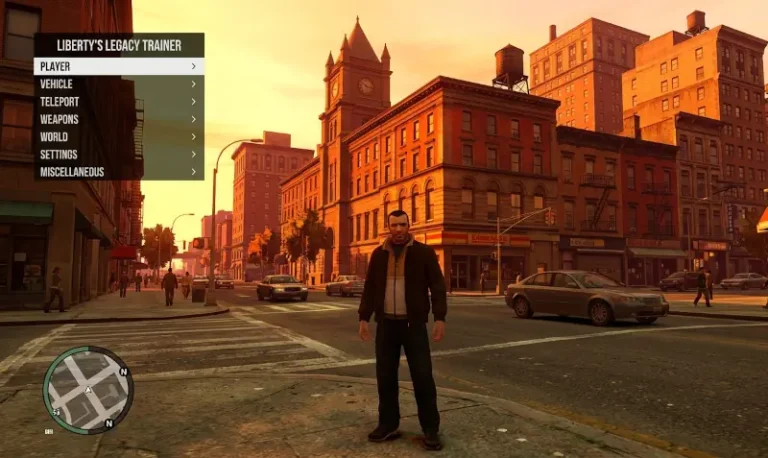
- Liberty’s Legacy Trainer: The most stable in-game menu, compatible with CE and Classic.
- ColAccel: Drastically improves loading times on SSDs and HDDs.
- Potential Grim: Restores various beta animations and dialogue.
- Improved Mouse Controls: Restores 1:1 raw input, essential for high-FPS play.