Console Visuals for GTA 4: The HelixPedia Review
STATUS: ✅ VERIFIED & STABLE
PERFORMANCE: Regular
COMPATIBILITY: Complete Edition / 1.0.8.0 / 1.0.7.0 (FusionFix Recommended)
⚡ HelixPedia Rating & Impressions
- Fun Meter: 🔥🔥🔥 (3/5) – Subtle but satisfying; the city finally looks “right.”
- Educational Value: 🎓🎓🎓 (3/5) – Fascinating look at assets Rockstar changed for the PC port.
- Dev-Craft: 🛠️🛠️🛠️🛠️ (4/5) – High-quality asset back-porting; works seamlessly with modern modloaders.
- Lore-Friendliness: 🎭🎭🎭🎭🎭 (5/5) – This is the lore; it restores the original 2008 vision.
- Nostalgia Kick: 🕹️🕹️🕹️🕹️🕹️ (5/5) – Feels like playing on a high-res Xbox 360 in the best way.
📝 Console Visuals Review: Why We Picked It
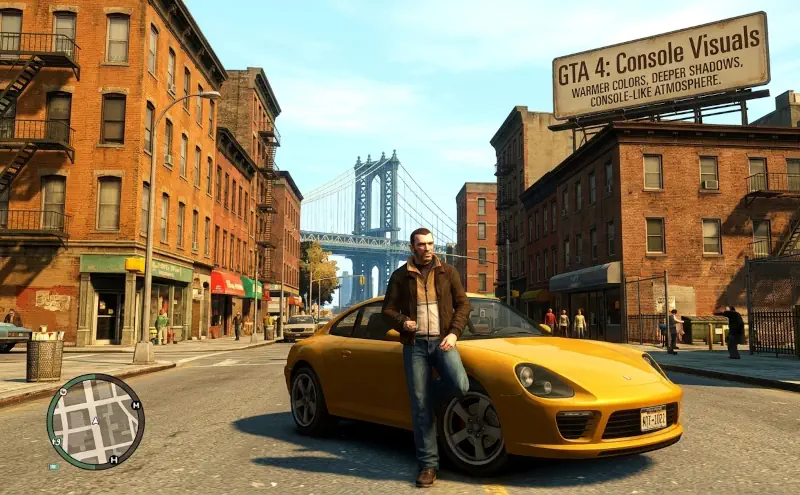
For many purists, the PC port of Grand Theft Auto IV has always felt slightly “off.” While it offered higher resolutions and better frame rates, it paradoxically lost several aesthetic nuances found in the original Xbox 360 and PlayStation 3 releases. Console Visuals is the definitive project aimed at reconciling these two worlds. It isn’t just a simple texture swap; it is an extensive restoration of models, vegetation, and UI elements that were simplified or altered during the transition to PC.
The standout feature of this mod is the vegetation restoration. On PC, the grass often clips through the ground or appears sparse due to broken vertex shading. Console Visuals fixes this by bringing back the original console grass models and higher-resolution trees (some sourced from Max Payne 3 assets where high-quality versions were hidden). This restores the lush, overgrown feel of certain Liberty City parks that the vanilla PC version lacked. Beyond the greenery, the mod restores original clothing options for Niko and subtle animation differences that were inexplicably changed for the port.
From a technical standpoint, Console Visuals is remarkably clean. It doesn’t rely on heavy ENB shaders that kill performance; instead, it replaces the game’s internal .rpf archives or uses the “update” folder method. When paired with FusionFix, it allows for “Console Gamma” and “TreeFX,” effectively turning the PC version into the “Ultimate Edition” Rockstar never released. It’s a masterclass in preservation, ensuring that the dark, gritty, and atmospheric soul of 2008 Liberty City remains intact for modern hardware.
🎯 Target Audience
- Play this if: You find the PC version’s lighting and vegetation “thin” and want the atmospheric depth of the console originals.
- Similar to: Various Fixes, GTA IV Complete Edition – The Improved Classic.
- Featured on: GTA 4 & EFLC: Top 15 Best Mods Essential Modding Tools & Must-Have Technical Fixes, tagged as recommended.
🛠️ How to Install Console Visuals Guide
- Setup: Ensure you have FusionFix installed, as it allows for the most stable “overloading” of these files without permanently replacing vanilla archives.
- Download: Download the specific parts you want (Vegetation, Characters, etc.) from the GitHub or GTAForums links.
- Deploy: Extract the
updatefolder from the mod archive into your main GTA IV root folder. If prompted to merge folders, select Yes. - Final Step: In-game, go to Settings > Display and ensure “TreeFX” is set to “Console” to see the full effect.
- Friction Rating: Mid (Requires manual folder merging).
📦 Claim Your Mod
To download Console Visuals, use the links below:
- Primary Source: GitHub (Tomasak)
- Official Mirror: GTAForums (Complete Edition Thread)
- HelixPedia Pro-Tip: If you’re looking for the absolute most accurate console look, download the “Console Vegetation” pack specifically. It fixes the “underground grass” bug that has haunted the PC version for over 15 years.