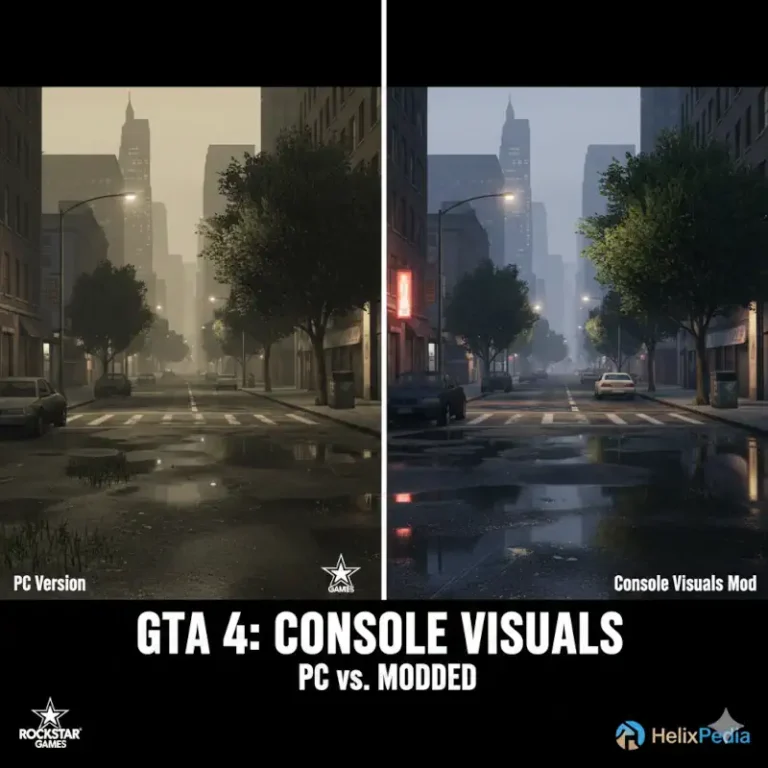
CryENB V3 for GTA 4: The HelixPedia Review
STATUS: ✅ VERIFIED & STABLE PERFORMANCE: Intensive COMPATIBILITY: 1.0.7.0 / 1.0.8.0 / EFLC
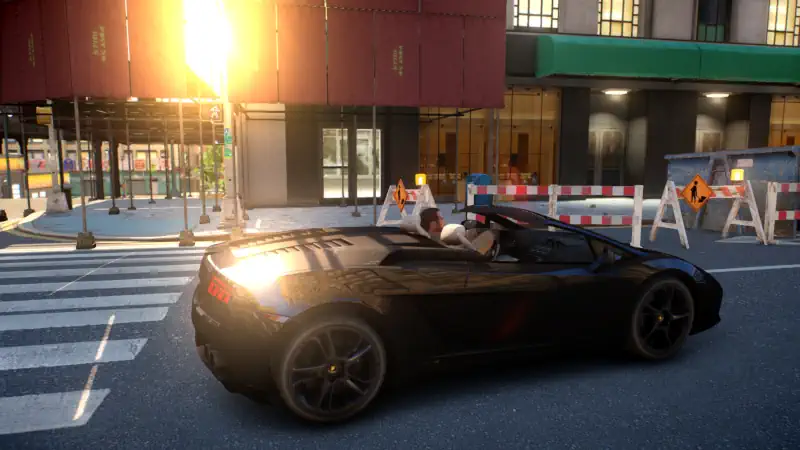
⚡ HelixPedia Rating & Impressions
- Fun Meter: 🔥🔥🔥🔥 (4/5) – A cinematic transformation that makes Liberty City feel like a high-budget action movie.
- Educational Value: 🎓🎓 (2/5) – Simple installation, but requires understanding of post-processing stacks.
- Dev-Craft: 🛠️🛠️🛠️🛠️ (4/5) – Exceptionally well-optimized for the 1.0.7.0 patch, featuring custom SSAO and bokeh depth of field.
- Lore-Friendliness: 🎭🎭🎭 (3/5) – Maintains a realistic “urban” atmosphere while significantly cleaning up the game’s original “vaseline” blur.
- Nostalgia Kick: 🕹️🕹️🕹️ (3/5) – Captures the 2014-era peak of the GTA IV modding scene with modern refinement.
📝 CryENB V3 Review: Why We Picked It
While many ENB presets chase hyper-realism at the cost of performance, CryENB V3 strikes a surgical balance between cinematic flair and technical stability. Developed by Fabriciuz, this mod was specifically engineered to run on the more “stable” later patches of Grand Theft Auto IV (1.0.7.0 and Episodes from Liberty City), sparing users the headache of deep-version downgrading required by its competitors. It introduces a sophisticated weather system and a unique motion blur implementation that actually feels fluid rather than disorienting.
The “soul” of CryENB V3 lies in its lighting transitions. The transition from the harsh midday sun to the amber hues of a Liberty City sunset is handled with a gradient smoothness rarely seen in older RAGE engine hooks. It features an advanced “God Rays” system and a customized lens flare that reacts dynamically to light sources. For the HelixPedia archive, this is our top recommendation for players who want a “plug-and-play” visual upgrade that doesn’t sacrifice the game’s gritty, urban identity.
From a code perspective, CryENB V3 is remarkably clean. It utilizes a layered approach to post-processing, allowing users to toggle features like SMAA (Anti-Aliasing) and Depth of Field through an in-game GUI without crashing the executable. It remains one of the most resilient ENB presets for long-term play sessions, making it a “Gold Standard” for stability.
🎯 Target Audience
- Play this if: You are playing the Complete Edition or 1.0.7.0 and want a cinematic, stable look without reverting to 2008-era patches.
- Similar to: iCEnhancer 3.0, iCEnhancer 4.0, RevIVe (Project RevIVe), DayL’s Natural Lighting, LGE (Liberty Graphics Enhancement).
🛠️ How to Install CryENB V3 Guide
- Prerequisites: Ensure your GTA IV folder is clean. This mod is optimized for patch 1.0.7.0 or EFLC.
- Core Extraction: Drag and drop all files from the CryENB V3 main folder into your GTA IV root directory (where
GTAIV.exeis located). - Option Selection: Choose your preferred “Performance” preset from the included folders (Low, Medium, or Ultra) and overwrite the
enbseries.iniin the root folder.
- Friction Rating: Easy.
📦 Claim Your Mod
To download CryENB V3, use the links below:
- Primary Source: LCPDFR.com
- Official Mirror: N/A
- HelixPedia Pro-Tip: CryENB V3 includes a custom “Depth of Field” that can sometimes make the map or UI blurry. If this happens, hit
Shift + Enterin-game to open the ENB menu and disable “EnableDepthOfField” under the [EFFECT] tab for instant clarity.