DayL’s Natural Timecycle for GTA 4: The HelixPedia Review
STATUS: ✅ VERIFIED & STABLE
PERFORMANCE: Light
COMPATIBILITY: Complete Edition (v1.2.0.x), v1.0.8.0, v1.0.7.0, & EFLC
⚡ HelixPedia Rating & Impressions
- Fun Meter: 🔥🔥🔥🔥🔥 (5/5) – Total visual reclamation; makes Liberty City feel like a destination again.
- Educational Value: 🎓🎓 (2/5) – Teaches the importance of clean code over bloated shader injectors.
- Dev-Craft: 🛠️🛠️🛠️🛠️🛠️ (5/5) – Zero FPS drop and surgical precision in the
timecyc.datedits. - Lore-Friendliness: 🎭🎭🎭🎭🎭 (5/5) – Retains the “Gritty NY” soul while stripping the “Piss Filter.”
- Nostalgia Kick: 🕹️🕹️🕹️🕹️ (4/5) – Feels like how your brain remembers the game looking in 2008.
📝 DayL’s Natural Timecycle Review: Why We Picked It
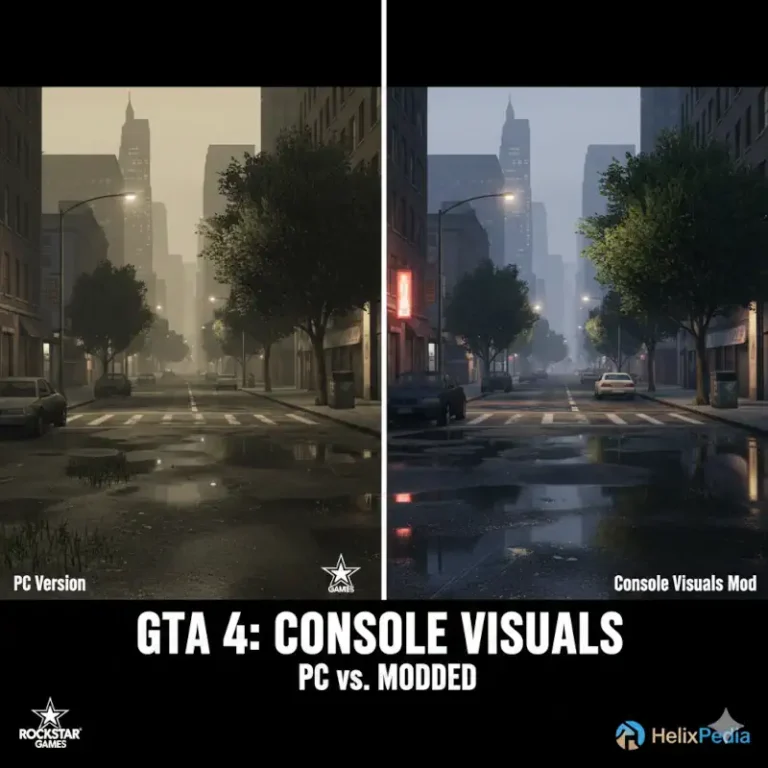
Grand Theft Auto IV has long suffered from what the community affectionately calls the “piss filter”—a muddy, sepia-toned haze that defines its 2008-era aesthetics. While ENBs and ReShade presets attempt to fix this with brute-force post-processing, DayL’s Natural Timecycle takes the elegant route. By rewriting the game’s native lighting variables, DayL has managed to scrub the grime off Liberty City without sacrificing its identity. The result is a crisp, vibrant, and “natural” look that feels like a professional remaster rather than a fan project.
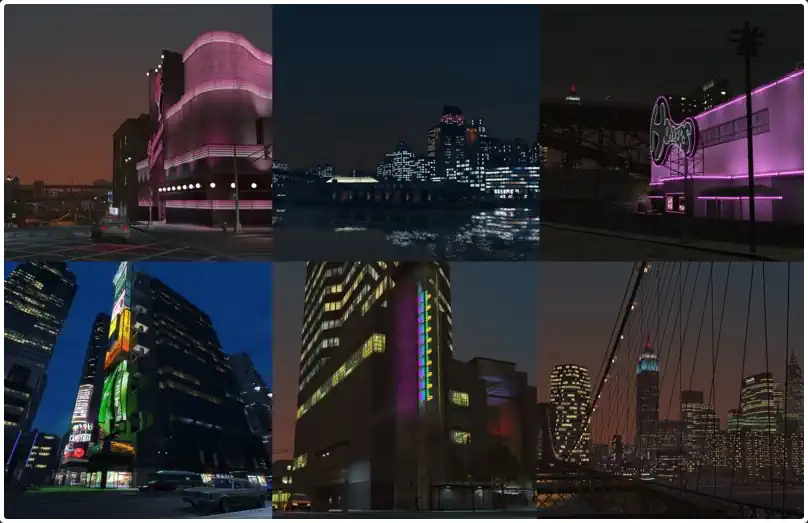
What sets this mod apart for the HelixPedia catalog is its absolute technical efficiency. Because it doesn’t rely on external shaders like ENB, there is zero performance tax. You get high-fidelity lighting, realistic weather transitions, and deep, atmospheric nights while maintaining 60 FPS on even modest hardware. It’s the “Goldilocks” of lighting mods—not too dark, not too saturated, but just right.
The soul of the mod shines during the transition from the “Golden Hour” to a rainy midnight. The water reflections on the asphalt feel earned rather than forced. It pairs perfectly with modern essentials like FusionFix, creating a stable, definitive experience for the Complete Edition. If you want to relive Niko’s story without the headache of crashing or frame-stuttering common in heavy graphical overhauls, this is the baseline requirement.
🎯 Target Audience
- Play this if: You want a “Vanilla+” look, you’re playing on a Steam Deck/Low-end PC, or you hate the yellow tint of the base game.
- Similar to: iCEnhancer 3.0, iCEnhancer 4.0, CryENB, LGE (Liberty Graphics Enhancement).
🛠️ How to Install DayL’s Natural Timecycle Guide
- Prerequisite: Ensure you have GTAIV FusionFix installed for the best compatibility and lighting corrections.
- Transfer Files: Extract the download and copy the
pcfolder (containing the modifiedtimecyc.dat) into your main GTA IV directory. - Overwrite: Confirm the replacement of existing files when prompted. (Backup your original
pc\datafolder first if you’re a cautious modder).
- Friction Rating: Easy.
📦 Claim Your Mod
To download DayL’s Natural Timecycle, use the links below:
- Primary Source: GTAInside (Official)
- Official Mirror: Nexus Mods
DOWNLOAD DAYL’S NATURAL TIMECYCLE NOW
- HelixPedia Pro-Tip: If using FusionFix, navigate to the in-game display settings and ensure “Console Gamma” is toggled. This mod was tuned specifically to work with the game’s internal gamma curves to prevent “black crush” during those moody Liberty City nights.