GTA IV Downgrader for GTA 4: The HelixPedia Review
STATUS: ✅ VERIFIED & STABLE
PERFORMANCE: Light
COMPATIBILITY: Steam / Rockstar Games Launcher (v1.2.0.30+)
⚡ HelixPedia Rating & Impressions
- Fun Meter: 🔥🔥🔥🔥🔥 (5/5) – Unlocks the full potential of Liberty City modding.
- Educational Value: 🎓🎓🎓🎓 (4/5) – A masterclass in version control and software archiving.
- Dev-Craft: 🛠️🛠️🛠️🛠️🛠️ (5/5) – Exceptionally clean automation for a historically messy process.
- Lore-Friendliness: 🎭 (1/5) – N/A; This is a technical utility, not a content expansion.
- Nostalgia Kick: 🕹️🕹️🕹️🕹️ (4/5) – Restores original radio tracks and the “dirty” 2008 atmosphere.
📝 GTA IV Downgrader Review: Why We Picked It
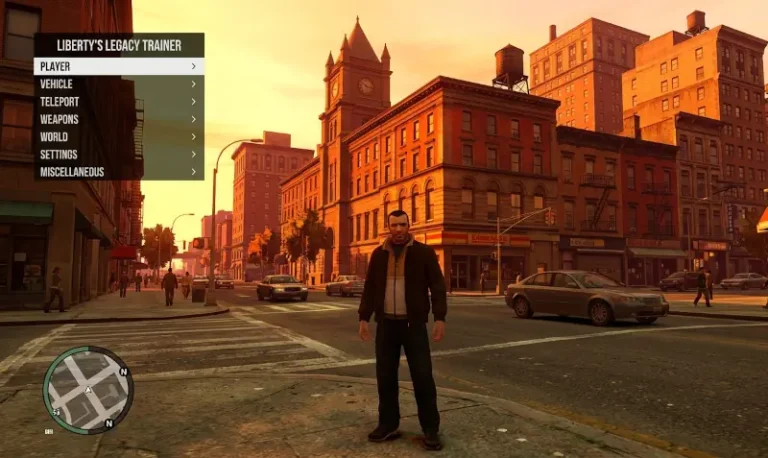
The PC port of Grand Theft Auto IV is a legendary technical disaster. Rockstar’s “Complete Edition” update stripped away iconic music due to expired licenses and broke compatibility with nearly every significant mod created over the last decade. The GTA IV Downgrader by ClonkAndre isn’t just a utility; it is an essential preservation tool for anyone who wants to play the definitive version of Niko Bellic’s story.
What sets this tool apart is its “Dev-Craft.” Historically, downgrading required manual file swapping, registry edits, and a high risk of “Fatal Error” crashes. This automated engine handles the heavy lifting—reverting the executable, patching the radio files, and even converting save files via GTASnP.com integration. It’s the bridge between a broken modern launcher and the high-performance patches of the past (1.0.4.0 for pure FPS or 1.0.7.0/1.0.8.0 for stability and mods).
From an editorial standpoint, the “soul” of this mod lies in its respect for the player’s time. It includes optional components like the ZolikaPatch and IV Tweaker right out of the box, ensuring that once you hit the “Finish” button, the game actually runs. It transforms a stuttering, bloatware-laden experience back into the gritty, optimized masterpiece that Liberty City was always meant to be.
🎯 Target Audience
- Play this if: You want to install LCPDFR, use ENB graphics, or simply want the original Vladivostok FM tracks back.
- Similar to: Gillian’s GTA IV Downgrade Utility, ZolikaPatch.
- Featured on: GTA 4 & EFLC: Top 15 Best Mods Essential Modding Tools & Must-Have Technical Fixes, tagged as essential.
🛠️ How to Install GTA IV Downgrader Guide
- Clean Slate: Ensure you have a fresh, unmodded installation of GTA IV: Complete Edition from Steam or Rockstar.
- Run as Admin: Extract the Downgrader tool and run the
.exewith Administrator privileges to avoid permission errors. - Select Your Target: Choose your desired version (1.0.4.0 is recommended for low-end PCs; 1.0.8.0 is best for modern mod compatibility).
- Friction Rating: Easy.
📦 Claim Your Mod
To download GTA IV Downgrader, use the links below:
- Primary Source: GitHub (ClonkAndre)
- Official Mirror: GTAForums Thread
DOWNLOAD GTA IV DOWNGRADER NOW
- HelixPedia Pro-Tip: If you experience a black screen or stuttering post-downgrade, disable “Fullscreen Optimizations” in the compatibility tab of
GTAIV.exeand ensure you use the-commandlinearguments generated by the tool to bypass the 2GB VRAM limit common on modern GPUs.