GTA IV & EFLC Various Fixes for GTA 4: The HelixPedia Review
STATUS: ✅ VERIFIED & STABLE PERFORMANCE: Light COMPATIBILITY: Complete Edition / 1.0.8.0 / 1.0.7.0
⚡ HelixPedia Rating & Impressions
- Fun Meter: 🔥🔥🔥🔥🔥 (5/5) – Total immersion restoration; the city finally feels alive again.
- Educational Value: 🎓🎓🎓 (3/5) – A masterclass in how small script fixes solve massive engine bottlenecks.
- Dev-Craft: 🛠️🛠️🛠️🛠️🛠️ (5/5) – Impeccable code cleanliness from Valentyn; minimal overhead.
- Lore-Friendliness: 🎭🎭🎭🎭🎭 (5/5) – 100% authentic; it simply restores what Rockstar originally intended.
- Nostalgia Kick: 🕹️🕹️🕹️🕹️ (4/5) – Feels like playing the 2008 launch version, minus the 2008 bugs.
📝 GTA IV & EFLC Various Fixes Review: Why We Picked It
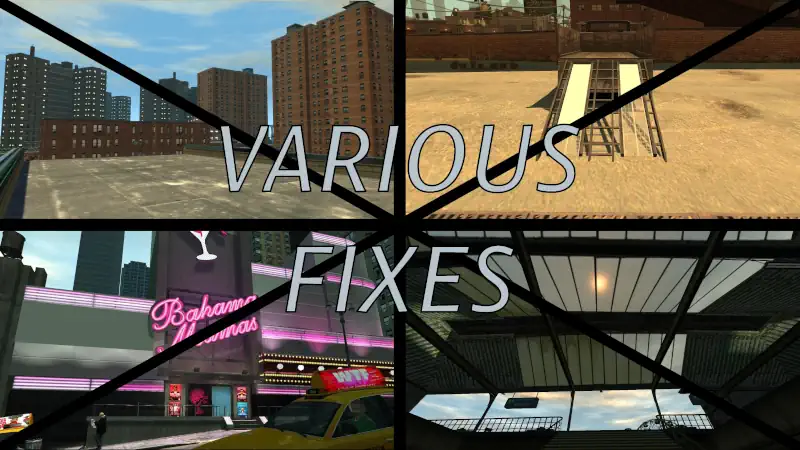
Liberty City has always been a masterpiece of atmospheric design, but years of “Complete Edition” updates and porting mishaps left the engine riddled with broken assets and missing logic. Various Fixes isn’t just a mod; it’s an essential digital restoration project. It addresses the “soul” of the game by fixing broken animations, restoring missing lighting effects on vehicles, and correcting the infamous “flickering” textures that have plagued modern GPU users.
What sets this project apart is its surgical precision. Unlike “overhaul” mods that bloat the game with 4K textures of questionable taste, Valentyn’s work focuses on the technical debt of the RAGE engine. From fixing the sniper rifle scope alignment to ensuring the “The Lost and Damned” hex-glow actually renders, it respects the original artistic vision while providing the stability required for a 2026 playthrough.
Beyond the visuals, the mod repairs broken script triggers and NPC behaviors that often stalled progression or broke immersion during high-stakes chases. It is the definitive foundation for any GTA 4 installation, acting as the invisible glue that holds the decaying port together. If you value gameplay integrity over flashy, unstable shaders, this is your gold standard.
🎯 Target Audience
- Play this if: You want the most stable, bug-free version of Liberty City possible without changing the original look.
- Similar to: FusionFix, Console Visuals, Potential Grim, ZolikaPatch.
🛠️ How to Install GTA IV & EFLC Various Fixes Guide
- Ensure you have Ultimate ASI Loader installed (usually
dinput8.dll). - Download the latest release and move the
VariousFixes.asiand.inifiles into your GTA IV main directory. - Adjust the
.inifile to toggle specific fixes (like the ‘Taxi Bug’ fix) based on your other installed mods.
- Friction Rating: Easy.
📦 Claim Your Mod
To download GTA IV & EFLC Various Fixes, use the links below:
- Primary Source: GitHub
- Official Mirror: GTAForums
DOWNLOAD GTA IV & EFLC VARIOUS FIXES NOW
- HelixPedia Pro-Tip: This mod includes a specific fix for the “Cutscene Zoom” bug that occurs on 21:9 monitors. If you’re playing on an Ultrawide, ensure
FixCutsceneFOVis enabled in the config. - Install FusionFix first, then create an ‘update’ folder. Drop these three mods in Console Visuals – Various Fixes – Potential Grim, and you’ve essentially built your own GTA IV Remaster for $0.