GTA IV FusionFix for GTA 4: The HelixPedia Review
STATUS: ✅ VERIFIED & STABLE
PERFORMANCE: Regular
COMPATIBILITY: All versions (Optimized for Complete Edition & Downgraded 1.0.7.0/1.0.8.0)
⚡ HelixPedia Rating & Impressions
- Fun Meter: 🔥🔥🔥🔥🔥 (5/5) – Not a content pack, but makes the game finally “feel” right.
- Educational Value: 🎓🎓🎓 (3/5) – Shows how much “broken” code remains in “Complete” editions.
- Dev-Craft: 🛠️🛠️🛠️🛠️🛠️ (5/5) – Surgery-grade precision in fixing engine-level bugs.
- Lore-Friendliness: 🎭🎭🎭🎭🎭 (5/5) – Restores the original artistic vision of Liberty City.
- Nostalgia Kick: 🕹️🕹️🕹️🕹️ (4/5) – Brings back the console-style atmosphere and shaders.
📝 GTA IV FusionFix Review: Why We Picked It
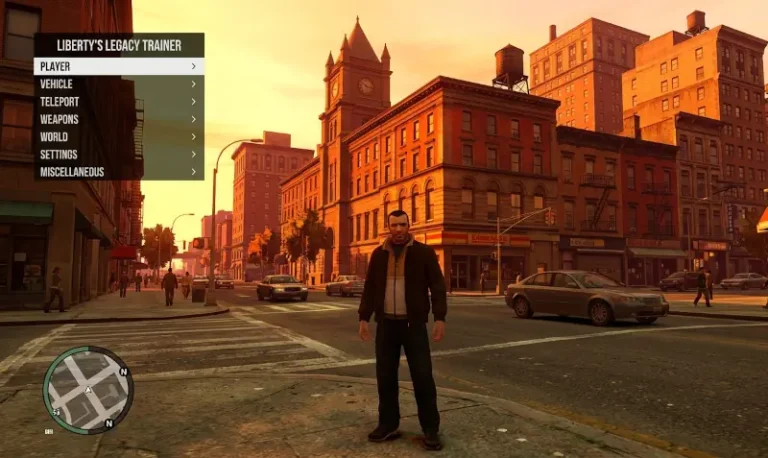
While the Downgrader and ASI Loader provide the skeleton, GTA IV FusionFix is the soul. It is widely considered the single most important “fix-it” mod in the history of the game. For years, PC players suffered from broken shaders, missing shadows, glitched cutscenes (like the infamous final mission helicopter bug), and an overall “flat” look compared to the original console releases. FusionFix acts as a comprehensive surgical strike against these decade-old oversight.
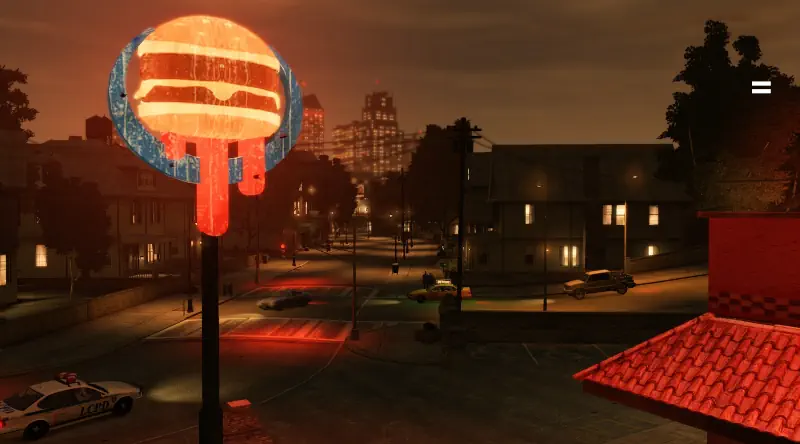
The “Dev-Craft” here is unparalleled. It doesn’t just patch bugs; it modernizes the engine. It introduces high-quality shadows, fixes the broken emissive lights (making taxi signs and windows glow correctly at night), and restores the hand-drawn map icons that were blurred in the Steam update. Most importantly, it addresses the physics engine issues that occur when running the game at high frame rates—ensuring that Niko actually moves and reacts as the developers intended.
At HelixPedia, we picked this because it respects the “soul” of the game. It doesn’t try to turn GTA IV into GTA V with over-saturated colors or realistic textures that clash with the art style. Instead, it polishes the grit of 2008 Liberty City until it shines. If you want to play GTA IV in 4K without the game breaking under its own weight, FusionFix is the silent guardian that makes it possible.
🎯 Target Audience
- Play this if: You hate the “flat” look of the PC port, want fixed cutscenes, or need proper controller support with haptics.
- Similar to: ZolikaPatch, Console Graphics Restoration.
- Featured on: GTA 4 & EFLC: Top 15 Best Mods Essential Modding Tools & Must-Have Technical Fixes, tagged as essential.
🛠️ How to Install GTA IV FusionFix Guide
- Pre-requisite: Ensure you have the Ultimate ASI Loader installed (as
dinput8.dll). - Transfer: Copy the contents of the FusionFix
.zip(usually apluginsfolder) into your main GTA IV game directory. - Configure: Use the
GTAIV.FusionFix.inifile to toggle specific features like Borderless Windowed mode or “Definitive Edition” style UI changes.
- Friction Rating: Easy.
📦 Claim Your Mod
To download GTA IV FusionFix, use the links below:
- Primary Source: FusionFix Official
- Official Mirror: GitHub (ThirteenAG)
- HelixPedia Pro-Tip: FusionFix includes a “Recoil Fix” that makes shooting feel more like the console versions. If you prefer the original PC “laser-aim” mouse behavior, you can disable this specific feature in the
.inifile under[Gameplay].