iCEnhancer 3.0 for GTA 4: The HelixPedia Review
STATUS: ✅ VERIFIED & STABLE
PERFORMANCE: Regular / Intensive
COMPATIBILITY: GTA IV v1.0.4.0 (Recommended) / v1.0.7.0 / v1.0.8.0
⚡ HelixPedia Rating & Impressions
- Fun Meter: 🔥🔥🔥🔥🔥 (5/5) – Reinvigorates Liberty City with a vibrancy that makes exploration feel brand new.
- Educational Value: 🎓🎓🎓 (3/5) – A masterclass in understanding how post-processing stacks can alter a game’s mood.
- Dev-Craft: 🛠️🛠️🛠️🛠️ (4/5) – Hayssam Keilany’s legendary shader work remains a benchmark for the modding community.
- Lore-Friendliness: 🎭🎭 (2/5) – Trades the original “dirty/gray” aesthetic for a clean, high-contrast cinematic look.
- Nostalgia Kick: 🕹️🕹️🕹️🕹️🕹️ (5/5) – The mod that defined the “Next Gen” YouTube era for GTA IV.
📝 iCEnhancer 3.0 Review: Why We Picked It
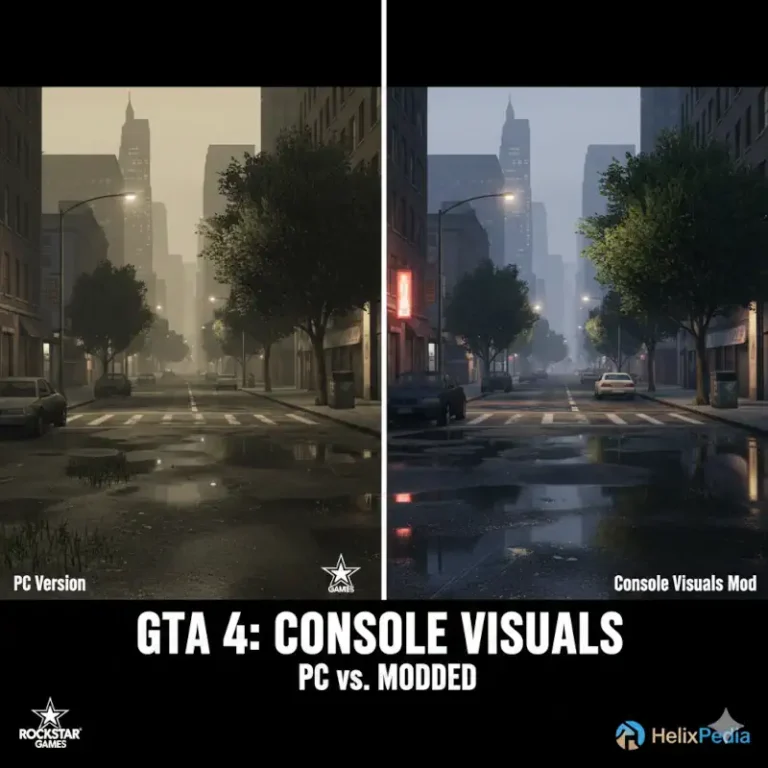
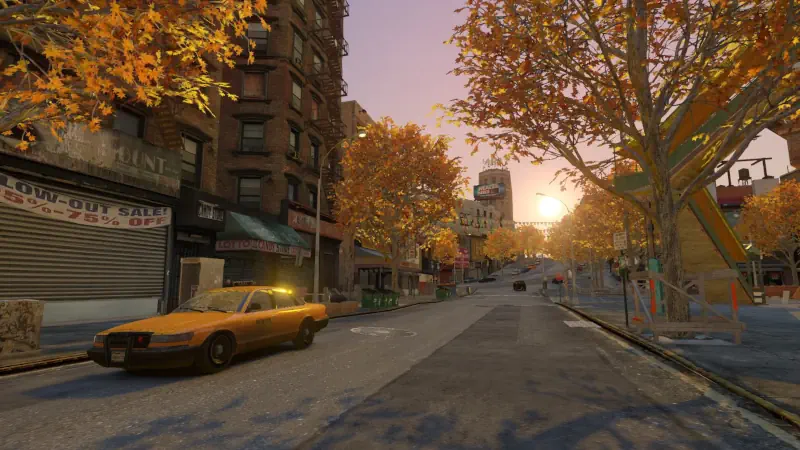
If there is one name synonymous with the “photorealistic” gaming revolution, it is iCEnhancer. Version 3.0 represents the peak of public stability for the series, transforming the murky, sepia-toned Liberty City into a crisp, cinematic playground. It doesn’t just “add filters”; it fundamentally rewrites the way the game handles bloom, depth of field, and color correction. The result is a version of GTA IV that looks strikingly modern, with metallic car reflections and sunset gradients that still rival AAA titles released today.
From a technical “Dev-Craft” perspective, Keilany’s work is highly respected for its optimization compared to earlier builds. While GTA IV is notoriously poorly optimized on PC, iCEnhancer 3.0 manages to deliver its visual punch with a relatively predictable performance hit, provided you aren’t running it on a “potato” laptop. The “soul” of this mod is pure cinematic luxury; it makes Niko Bellic’s journey feel less like a gritty 2008 crime drama and more like a high-budget 2024 action thriller.
We selected this specifically for HelixPedia because it is the “Gold Standard.” Even with version 4.0 on the horizon, 3.0 remains the most documented and widely supported version by the community. It’s the essential starting point for anyone looking to fix the “gray-wash” of the vanilla game while maintaining the core physics and world-building that make GTA IV a masterpiece.
🎯 Target Audience
- Play this if: You find the vanilla game’s gray/brown filter depressing and want Liberty City to pop with color and high-fidelity lighting.
- Similar to: iCEnhancer 4.0, CryENB, RevIVe (Project RevIVe), DayL’s Natural Lighting, LGE (Liberty Graphics Enhancement).
🛠️ How to Install iCEnhancer 3.0 Guide
- The Downgrade Step: For the best visual results (including superior shadow and tree rendering), downgrade your GTA IV to v1.0.4.0. If you are on the Steam/Rockstar “Complete Edition,” use a community downgrader tool first.
- Installation: Copy all files from the iCEnhancer 3.0 folder (Standard or 1.0.7.0 version depending on your game) and paste them into your main GTA IV directory.
- Toggle In-Game: Use
Shift + F12to toggle the effect on and off, andShift + Enterto access the ENB configuration menu for fine-tuning.
- Friction Rating: Mid. (Requires downgrading and potentially disabling the Steam Overlay to avoid crashes).
📦 Claim Your Mod
To download iCEnhancer 3.0, use the links below:
- Primary Source: Official icelaglace Website
- Official Mirror: N/A
- HelixPedia Pro-Tip: If the game feels too “bright” during midday, look for the
icelighting.inifile in your root folder. Adjusting theDayLightingIntensitycan help you find that perfect balance between cinematic flair and visibility.