Radio Restoration for GTA 4: The HelixPedia Review
STATUS: ✅ VERIFIED & STABLE
PERFORMANCE: Light
COMPATIBILITY: GTA IV: Complete Edition (Steam / Rockstar Launcher)
⚡ HelixPedia Rating & Impressions
- Fun Meter: 🔥🔥🔥🔥🔥 (5/5) – Crucial for the authentic 2008 Liberty City vibe.
- Educational Value: 🎓🎓 (2/5) – A lesson in licensing expiration and digital preservation.
- Dev-Craft: 🛠️🛠️🛠️🛠️ (4/5) – Clean installer that handles the heavy lifting of RPF patching.
- Lore-Friendliness: 🎭🎭🎭🎭🎭 (5/5) – Restores the “soul” of the game’s atmosphere.
- Nostalgia Kick: 🕹️🕹️🕹️🕹️🕹️ (5/5) – Hearing “Schweine” or “1979” while driving over the Broker Bridge is unmatched.
📝 Radio Restoration Review: Why We Picked It
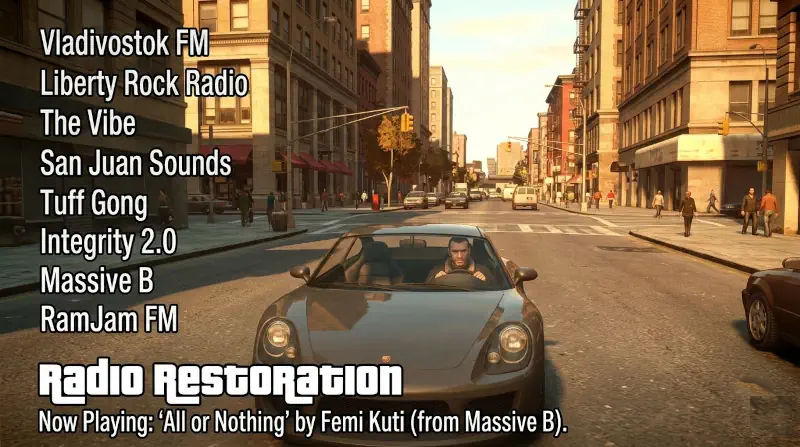
Grand Theft Auto IV is a masterpiece of tone, and that tone was built on its soundtrack. When Rockstar was forced to strip dozens of iconic tracks in 2018 due to expired 10-year licenses, the game lost its heartbeat. The Radio Restoration mod by the Downgraders team isn’t just a “tweak”—it is an essential restoration project that brings back over 50 deleted songs to the Complete Edition without requiring a full game downgrade to version 1.0.7.0.
What makes this specific version stand out is its technical elegance. Rather than just dumping raw files into your folder, the installer intelligently patches your existing .rpf archives. It even offers an “Extended” mode to include beta songs—tracks found in the game files but never used in the final 2008 release—adding a layer of “lost history” to your playthrough.
From a code perspective, the mod is remarkably stable. Because it primarily swaps audio containers and data headers, the performance impact is non-existent. It doesn’t bloat your RAM or cause the dreaded “out of video memory” errors common with heavy script mods. It simply puts the music back where it belongs, ensuring that Vladivostok FM once again serves as the perfect backdrop for Niko Bellic’s grim American Dream.
🎯 Target Audience
- Play this if: You find the current “Complete Edition” soundtrack hollow and miss the original 2008 radio experience.
- Similar to: GTA IV Downgrader, IV FusionFix, Various Fixes.
- Featured on: GTA 4 & EFLC: Top 15 Best Mods Essential Modding Tools & Must-Have Technical Fixes, tagged as essential.
🛠️ How to Install Radio Restoration Guide
- Prepare: Ensure your GTA IV: Complete Edition is a fresh install. Download the
IVCERadioRestoration.exefrom the primary link below. - Execute: Run the installer. It should automatically detect your Steam or Rockstar Games installation path.
- Configure: Select your preferences. We recommend “Pre-cut + Post-cut” to keep the new songs while restoring the old ones.
- Friction Rating: Easy.
📦 Claim Your Mod
To download Radio Restoration, use the links below:
- Primary Source: RockstarVision
- Official Mirror: GTA-Downgraders GitHub
DOWNLOAD RADIO RESTORATION NOW
- HelixPedia Pro-Tip: If you are using FusionFix (which we highly recommend for modern PCs), run the Radio Restoration installer after FusionFix. This ensures the radio station names in the HUD correctly match the restored tracks.