Various Fixes for GTA 4 & EFLC: The HelixPedia Review
STATUS: ✅ VERIFIED & STABLE
PERFORMANCE: Light
COMPATIBILITY: 1.0.7.0 / 1.0.8.0 / Complete Edition (FusionFix Required)
⚡ HelixPedia Rating & Impressions
- Fun Meter: 🔥🔥🔥🔥 (4/5) – Not a “content” mod, but seeing Liberty City without broken textures and invisible walls is satisfying.
- Educational Value: 🎓🎓🎓🎓 (4/5) – A literal map of everything Rockstar forgot to polish; great for seeing how game worlds are stitched together.
- Dev-Craft: 🛠️🛠️🛠️🛠️🛠️ (5/5) – Incredibly precise. The fixes for the Triangle Club and Algonquin bridge meshes are professional-grade.
- Lore-Friendliness: 🎭🎭🎭🎭🎭 (5/5) – The gold standard. It restores the original vision by removing technical “noise.”
- Nostalgia Kick: 🕹️🕹️🕹️ (3/5) – It doesn’t change the feel, it just removes the “jank” that we sometimes mistake for nostalgia.
📝 Various Fixes Review: Why We Picked It
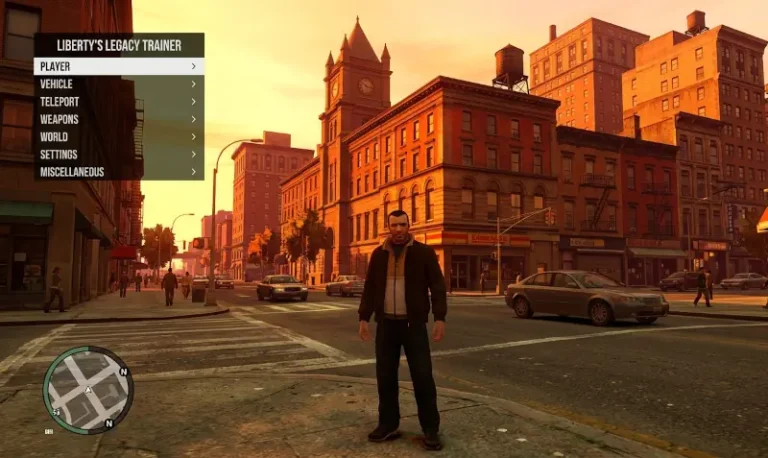
While most mods aim to add something new to Liberty City, Various Fixes (by Valentyn-l and MikhailRock) is focused on the quiet art of repair. GTA IV has thousands of tiny geological and architectural errors—fences that don’t cast shadows, “holes” in the ceiling of the Triangle Club, and misaligned textures on Roman’s Taxi. This mod is the final coat of polish that the game never received before Rockstar moved on to GTA V.
The “soul” of this mod is its commitment to the “Vanilla+” philosophy. It doesn’t replace assets with flashy 4K textures that ruin the 2008 atmosphere; instead, it fixes the existing assets. For example, it repairs the shader on park benches and fixes the “stipple” graininess on trees. It’s the kind of technical janitorial work that makes the world feel solid and unbroken, significantly reducing visual “friction” during long play sessions.
What makes this an essential pick for HelixPedia is its integration with modern modding stacks. It is designed to work seamlessly with Fusion Overloader, meaning you don’t have to manually rebuild your .img files and risk a “Taxi Bug” meltdown. It is a set-and-forget masterwork that should be in every GTA IV installation folder by default.
🎯 Target Audience
- Play this if: You are a purist who wants the most “perfect” version of the original game world without bugs or map gaps.
- Similar to: FusionFix, Console Visuals, GTA IV Update Project.
- Featured on: GTA 4 & EFLC: Top 15 Best Mods Essential Modding Tools & Must-Have Technical Fixes, tagged as essential.
🛠️ How to Install Various Fixes Guide
- Prerequisite: You must have FusionFix installed first to use the recommended method.
- Download: Grab the “Installation through Fusion Overloader” archive from the GitHub or GTAForums link.
- Deploy: Extract the
updatefolder directly into your main GTA IV root directory. If prompted to merge folders, say Yes.
- Friction Rating: Easy.
📦 Claim Your Mod
To download Various Fixes, use the links below:
- Primary Source: GTAForums
- Official Mirror: GitHub Releases
- HelixPedia Pro-Tip: Check the “Optional Content” folder within the download. It contains a
stipple.wtdfix that removes the “dithered” look from fences and trees. It’s a manual install, but it’s the single best way to clean up the game’s aliasing issues without a heavy ENB.