ZolikaPatch for GTA 4: The HelixPedia Review
STATUS: ✅ VERIFIED & STABLE
PERFORMANCE: Light
COMPATIBILITY: 1.0.4.0, 1.0.7.0, 1.0.8.0 (Downgraded versions preferred)
⚡ HelixPedia Rating & Impressions
- Fun Meter: 🔥🔥🔥🔥🔥 (5/5) – Total freedom; fixes the “broken” feeling of the PC port.
- Educational Value: 🎓🎓🎓🎓 (4/5) – A masterclass in how community patches outperform official devs.
- Dev-Craft: 🛠️🛠️🛠️🛠️🛠️ (5/5) – Exceptionally clean ASI implementation with zero bloat.
- Lore-Friendliness: 🎭🎭🎭🎭🎭 (5/5) – Purely technical; restores the original atmosphere and intent.
- Nostalgia Kick: 🕹️🕹️🕹️🕹️ (4/5) – Makes Liberty City feel exactly like you remember (minus the lag).
📝 ZolikaPatch Review: Why We Picked It
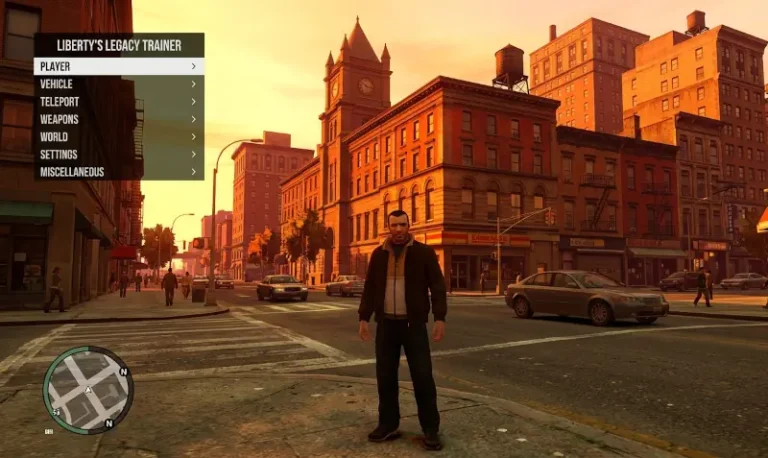
Grand Theft Auto IV is a masterpiece trapped in a technical nightmare on PC. Between the stuttering cutscenes and the erratic vehicle physics at high framerates, playing the vanilla Steam or Rockstar version feels like fighting the game itself. ZolikaPatch isn’t just a “mod”—it is the vital life-support system that the game’s engine, RAGE, desperately needed. From restoring vehicle shadows in the Booth Tunnel to fixing the infamous “Out of Commission” climbing bug that breaks at 60+ FPS, Zolika’s work is surgical.
What sets this apart from other “fix” mods is the “soul” of the code. It doesn’t just slap a band-aid on performance; it re-engineers how the game handles memory and CPU draw calls. It reduces loading times to San Andreas-era speeds and fixes the deadzone on mouse movement that has plagued players since 2008. It’s the invisible hand that makes Liberty City feel responsive and modern.
We picked ZolikaPatch because it respects the player’s time. It removes the unnecessary Social Club login requirements and allows the game to run through a simple executable. It is the definitive foundational layer for any GTA IV modlist, providing a stable, stutter-free environment that lets the gritty narrative of Niko Bellic shine without technical interference.
🎯 Target Audience
- Play this if: You are tired of 20-second loading screens, want to play at 60+ FPS without physics breaking, or need a stable base for multiplayer.
- Similar to: FusionFix, IV Tweaker, SilentPatch.
- Featured on: GTA 4 & EFLC: Top 15 Best Mods Essential Modding Tools & Must-Have Technical Fixes, tagged as essential.
🛠️ How to Install ZolikaPatch Guide
- Downgrade (Recommended): Use the Zolika Downgrader tool to revert your game to version 1.0.7.0 or 1.0.8.0 for maximum compatibility. Also, requires the Ultimate ASI Loader.
- Deploy Files: Download the latest ZolikaPatch ZIP and extract the contents (specifically
ZolikaPatch.asiandZolikaPatch.ini) directly into your main GTA IV root folder. - Configure: Open
ZolikaPatch.inito toggle features like Borderless Windowed mode or Skip Intro, then launch the game viaPlayGTAIV.exe.
- Friction Rating: Easy.
📦 Claim Your Mod
To download ZolikaPatch, use the links below:
- Primary Source: Zolika1351’s Zone
- Official Mirror: GTAForums Thread
- HelixPedia Pro-Tip: If you are using DXVK (Vulkan wrapper) for performance, make sure to disable
FastLoadingandNewMemorySystemin theZolikaPatch.ini, as these DX9-specific optimizations can actually slow down startup times when running through Vulkan.