Menyoo PC for GTA V: The HelixPedia Review
STATUS: ✅ VERIFIED & STABLE
PERFORMANCE: Light
COMPATIBILITY: v1.0.3351.0+ (Spooner Build)
⚡ HelixPedia Rating & Impressions
- Fun Meter: 🔥🔥🔥🔥🔥 (5/5) – The ultimate sandbox unlocker; if you can dream it, you can spawn it.
- Educational Value: 🎓🎓🎓 (3/5) – Excellent for understanding engine coordinates, entity attachments, and task sequences.
- Dev-Craft: 🛠️🛠️🛠️🛠️ (4/5) – Highly optimized C++ backend with a clean, low-latency UI.
- Lore-Friendliness: 🎭 (1/5) – Pure chaos; designed to break the fourth wall and the game’s limits.
- Nostalgia Kick: 🕹️🕹️🕹️🕹️ (4/5) – The successor to the classic trainers of the GTA IV era.
📝 Menyoo PC Review: Why We Picked It
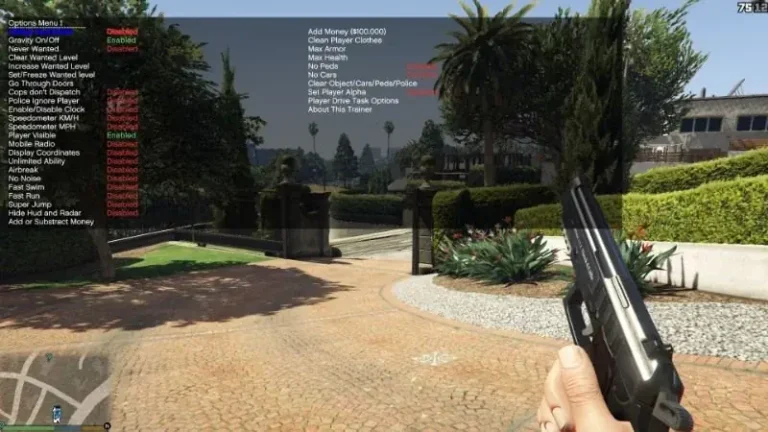
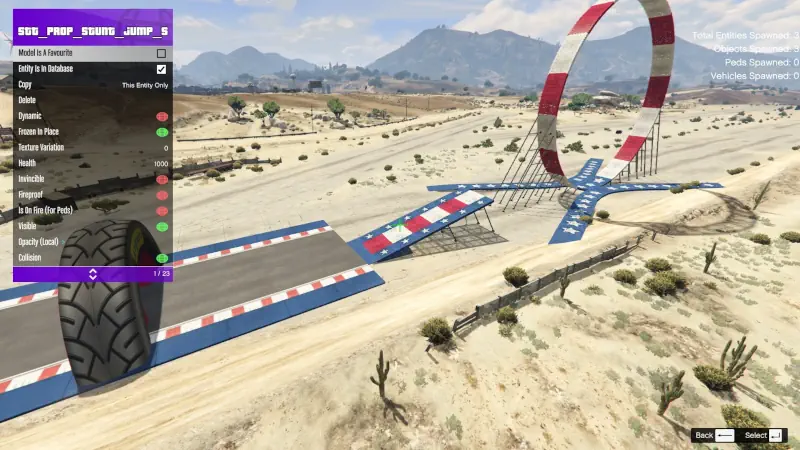
Menyoo PC remains the definitive Swiss Army knife for the Grand Theft Auto V single-player experience. While other trainers offer basic invincibility or vehicle spawning, Menyoo excels through its Spooner Mode. This feature allows players to freeze time, manipulate the 3D world in real-time, and build complex maps or cinematic scenes using the game’s internal assets. It isn’t just a cheat menu; it is a creative suite that bridges the gap between a casual player and a content creator.
The “soul” of Menyoo lies in its depth of customization. Whether you are swapping player models to play as a North Yankton local or configuring a custom “Vehicle Acrobatics” sequence, the interface remains snappy and intuitive. The “ItsJustCurtis” fork and subsequent community updates have ensured that the mod remains compatible with the latest Rockstar updates, fixing the notorious “Invalid Model” crashes that plagued earlier versions.
From a technical standpoint, Menyoo is surprisingly lightweight. It hooks into the game via ScriptHookV and manages memory efficiently, even when the screen is cluttered with spawned entities. The inclusion of a task sequencer allows for complex NPC behavior, making it the primary tool for anyone looking to create machinima or high-fidelity “What If” scenarios within the Los Santos engine.
🎯 Target Audience
- Play this if: You want total control over the game world, including map editing, weather manipulation, and advanced vehicle tuning.
- Similar to: Simple Trainer for GTA V, Rampage Trainer.
- Featured on: The Ultimate GTA 5 Guide: Best Mods, Must-Have Tools & Essential Fixes, tagged as essential.
🛠️ How to Install Menyoo PC Guide
- Prerequisites: Ensure you have the latest ScriptHookV installed in your GTA V main directory.
- File Transfer: Copy
Menyoo.asiand themenyooStufffolder from the download archive into your GTA V root folder (whereGTA5.exeis located). - Activation: Launch the game and press F8 once to initialize, and F8 again to open the menu. Use the Arrow Keys or Numpad to navigate.
- Friction Rating: Easy.
📦 Claim Your Mod
To download Menyoo PC, use the links below:
- Primary Source: GitHub Releases (Latest Stable)
- Official Mirror: GTA5-Mods.com (Legacy)
- HelixPedia Pro-Tip: Use the “Spooner Mode” to save your custom vehicle builds as XML files. These can be shared with the community or re-loaded instantly even after a game restart, preserving your custom paint jobs and performance tweaks indefinitely.