Weapon Limits Adjuster for GTA V: The HelixPedia Review
STATUS: ✅ VERIFIED & STABLE
PERFORMANCE: Light
COMPATIBILITY: All recent game builds (1.0.335.2+)
⚡ HelixPedia Rating & Impressions
- Fun Meter: 🔥🔥🔥 (3/5) – It doesn’t add a gun, but it ensures you can actually use the fifty you just installed.
- Educational Value: 🎓🎓🎓🎓 (4/5) – Offers a deep dive into the RAGE engine’s memory buffers for weapon info blobs.
- Dev-Craft: 🛠️🛠️🛠️🛠️🛠️ (5/5) – Extremely efficient memory patching that prevents crashes during asset loading.
- Lore-Friendliness: 🎭🎭🎭🎭🎭 (5/5) – Purely technical; zero impact on the narrative experience.
- Nostalgia Kick: 🕹️🕹️🕹️ (3/5) – A reminder of the classic “too many weapons” crash screen from the early modding days.
📝 Weapon Limits Adjuster Review: Why We Picked It
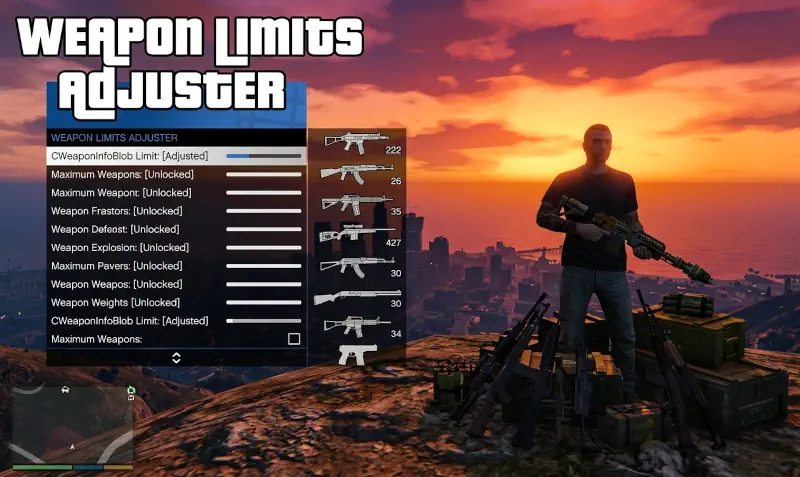
The CWeaponInfoBlob Limit Adjuster is the unsung hero of the tactical and firearm modding community. When you push the boundaries of Los Santos by importing high-fidelity weapon models, you are not just adding geometry; you are adding complex weapon data blobs to the engine’s memory. Eventually, the native game code hits a hard cap on how many of these “weapon info blobs” it can track simultaneously, leading to the dreaded game freeze or crash during the loading screen.
This utility, developed by alexguirre, functions as an essential ASI plugin that bypasses the hardcoded limit on weapon info structures. By dynamically patching the memory space where the game stores these assets, it allows creators to populate their game with extensive arsenals without triggering engine-level memory overflow.
We spotlight this mod because it is a critical “stability-first” tool. For the average player, it is the difference between a functional, heavily modded game and a perpetually broken installation. It is clean, reliable, and perfectly targeted at the specific bottleneck that restricts weapon-heavy mod lists. It represents the pinnacle of “Dev-Craft” because it solves a complex engine limitation with surgical precision.
🎯 Target Audience
- Play this if: You are installing multiple “Weapon Pack” mods or custom firearm add-ons and experiencing crashes during loading or weapon selection.
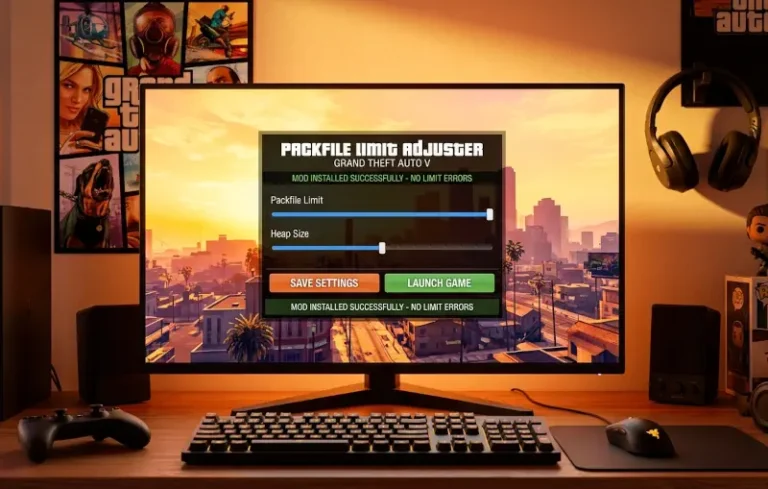
- Similar to: Packfile Limit Adjuster, Heap Limit Adjuster.
- Featured on: The Ultimate GTA 5 Guide: Best Mods, Must-Have Tools & Essential Fixes, tagged as essential.
🛠️ How to Install Weapon Limits Adjuster Guide
- Ensure your Script Hook V and an ASI Loader (like
dinput8.dll) are already present in your main game directory. - Download the mod files from the official source.
- Extract
WeaponLimitsAdjuster.asiand the accompanying.inifile into your Grand Theft Auto V root folder.
- Friction Rating: Easy.
📦 Claim Your Mod
To download Weapon Limits Adjuster, use the links below:
- Primary Source: GTA5-Mods.com
- Official Mirror: GitHub (Source)
DOWNLOAD WEAPON LIMITS ADJUSTER NOW
- HelixPedia Pro-Tip: While this tool handles the memory allocation for the weapon blobs themselves, ensure your
gameconfig.xmlis updated to handle the increased object counts if you are also adding many weapon-related attachments or components; otherwise, you may shift the bottleneck from the memory blob to the game’s internal metadata limits.