CLEO 5 & Redux for GTA San Andreas Classic: The HelixPedia Review
STATUS: ✅ VERIFIED & STABLE
PERFORMANCE: Light
COMPATIBILITY: GTA SA v1.0 (US Edition) / Trilogy DE (via Redux)
⚡ HelixPedia Rating & Impressions
- Fun Meter: 🔥🔥🔥🔥🔥 (5/5) – The gateway to literally everything; if you aren’t using CLEO, you aren’t modding.
- Educational Value: 🎓🎓🎓🎓🎓 (5/5) – Redux introduces JS/TS support, making it an incredible entry point for real-world coding.
- Dev-Craft: 🛠️🛠️🛠️🛠️🛠️ (5/5) – Refined error handling and SDK-level stability; Seemann’s legacy remains peerless.
- Lore-Friendliness: 🎭🎭🎭🎭🎭 (5/5) – Purely a framework; it respects the game’s boundaries until you decide to break them.
- Nostalgia Kick: 🕹️🕹️🕹️🕹️ (4/5) – Feels like the golden era of 2008 modding, but with 2025 technology.
📝 CLEO 5 & Redux Review: Why We Picked It
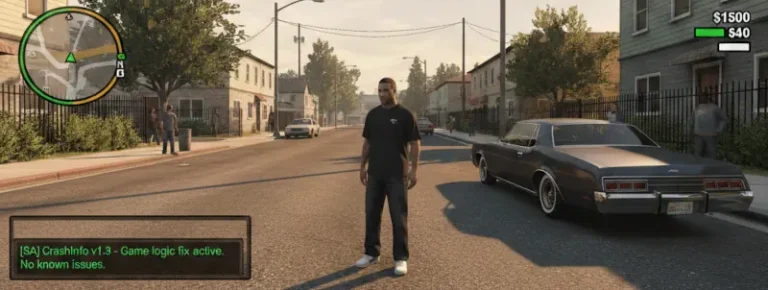
CLEO has long been the undisputed king of GTA scripting, but the jump to CLEO 5 and the inclusion of Redux marks a paradigm shift for San Andreas Classic. While traditional CLEO relied on its proprietary opcode system (SCM), CLEO 5 refines this with better memory management, audio engine upgrades via BASS.dll, and significantly improved error logging. It doesn’t just run scripts; it ensures they don’t take your entire OS down with them during a crash.
The real “soul” of this update lies in CLEO Redux. By bringing JavaScript and TypeScript support to the RenderWare engine, the barrier to entry for new developers has vanished. You no longer need to learn archaic script commands to spawn a car or manipulate the weather; if you can write a basic web script, you can now modify Grand Theft Auto. It’s a bridge between the legacy of the early 2000s and modern software development.
From a technical standpoint, the code cleanliness is stellar. The library hooks into the game with surgical precision, offering features like “Hot Reload,” which allows you to edit scripts and see changes in-game instantly without restarting. For a 20-year-old game, this level of developer experience is nothing short of miraculous.
🎯 Target Audience
- Play this if: You want to install 99% of the mods available on the internet, or if you’re interested in learning how to script using modern languages like JavaScript.
- Similar to: MoonLoader (Lua-based), ASI Loader (The foundation), ModLoader.
- This mod is part of the best essential modding tools and must-have fixes for GTA SA Classic, tagged as essential.
🛠️ How to Install CLEO 5 & Redux Guide
- Downgrade First: Ensure your GTA San Andreas is downgraded to version 1.0 US. Retail Steam/Rockstar versions will not work without a patcher.
- Deploy Files: Download the CLEO 5 archive and extract
cleo.asi, thecleofolder, andbass.dllinto your main game directory. - Redux Integration: If using Redux, run the
cleo_redux_setup.exeor manually drop the Redux files into the root folder to enable JS/TS support.
- Friction Rating: Easy.
📦 Claim Your Mod
To download CLEO 5 & Redux, use the links below:
- Primary Source: Official CLEO Library
- Official Mirror: GitHub CLEO 5; GitHub CLEO Redux
- HelixPedia Pro-Tip: Use the new
.cs4or.cs3extensions for older scripts. This triggers CLEO 5’s legacy compatibility mode, emulating older versions to prevent those annoying “Opcode not found” crashes on 15-year-old mods.