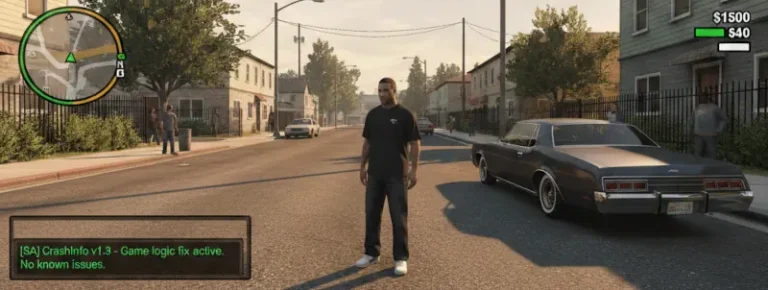
CLEO+ for GTA San Andreas Classic: The HelixPedia Review
STATUS: ✅ VERIFIED & STABLE
PERFORMANCE: Light
COMPATIBILITY: GTA SA v1.0 (US Edition) / CLEO 4.4 or 5.0
⚡ HelixPedia Rating & Impressions
- Fun Meter: 🔥🔥🔥🔥🔥 (5/5) – Unlocks a new dimension of gameplay mechanics that were previously impossible.
- Educational Value: 🎓🎓🎓 (3/5) – Primarily for players, but a goldmine for modders looking to simplify complex SCM scripts.
- Dev-Craft: 🛠️🛠️🛠️🛠️🛠️ (5/5) – JuniorDjjr’s masterpiece; fixes long-standing engine limits and adds over 300 new opcodes.
- Lore-Friendliness: 🎭🎭🎭🎭🎭 (5/5) – Operates entirely in the background to enhance existing mods and native feel.
- Nostalgia Kick: 🕹️🕹️🕹️ (3/5) – Modernizes the classic experience without removing its 2004 charm.
📝 CLEO+ Review: Why We Picked It
While CLEO is the engine that drives San Andreas modding, CLEO+ (CLEO Plus) is the high-performance fuel that makes modern, complex mods run smoothly. Developed by the legendary JuniorDjjr and the MixMods team, this isn’t just another script—it is an essential plugin that expands the game’s internal vocabulary. By adding hundreds of new opcodes, it allows modders to detect specific player actions, manage complex physics, and interact with the game world in ways the original developers never imagined.
The “soul” of CLEO+ lies in its dedication to stability and standardization. Before its release, many advanced mods used clunky workarounds that often led to “Limit Adjusted” crashes or save-game corruption. CLEO+ centralizes these requirements into a single, highly optimized .asi plugin. It handles everything from custom LOD distances to sophisticated AI behaviors, ensuring that your game remains stable even when running dozens of heavy scripts simultaneously.
From a technical perspective, CLEO+ is a triumph of “Dev-Craft.” It bridges the gap between the old SCM scripting and modern programming logic. For the average player, it is the “silent partner” that makes the most impressive mods of the last three years function. If you want to use modern mods like Urbanize or Real Traffic, CLEO+ is not an option—it is a requirement.
🎯 Target Audience
- Play this if: You are installing modern, high-quality mods, or you want to ensure your scripting environment has the highest possible compatibility.
- Similar to: NewOpcodes.cleo (Legacy), CLEO 5, ModLoader, MoonLoader, Silent’s ASI Loader.
- This mod is part of the best essential modding tools and must-have fixes for GTA SA Classic, tagged as essential.
🛠️ How to Install CLEO+ Guide
- Prerequisites: Ensure you have CLEO 4.4 or CLEO 5 already installed in your GTA San Andreas directory, your game is downgraded to v1.0, and you have an ASI Loader (like Silent’s ASI Loader) installed.
- File Placement: Download the CLEO+ archive and move the
cleo_plus.asifile into your main game folder (root directory). - Verification: Launch the game; if installed correctly, the plugin will automatically begin supporting any mod that utilizes Plus-opcodes. No extra configuration is required.
- Friction Rating: Easy.
📦 Claim Your Mod
To download CLEO+, use the links below:
- Primary Source: MixMods (Official Site)
- Official Mirror: GitHub Repository (Releases)
- HelixPedia Pro-Tip: CLEO+ includes a built-in fix for the “Car Generator” limit. If you’ve ever noticed cars disappearing or failing to spawn in traffic when modded, CLEO+ helps manage the game’s memory to keep those streets populated.