Framerate Vigilante for GTA San Andreas Classic: The HelixPedia Review
STATUS: ✅ VERIFIED & STABLE
PERFORMANCE: Light
COMPATIBILITY: v1.0 (US/EU), v1.01 (Requires ASI Loader)
⚡ HelixPedia Rating & Impressions
- Fun Meter: 🔥🔥🔥🔥🔥 (5/5) – Unlocking 60+ FPS makes San Andreas feel like a modern remaster.
- Educational Value: 🎓🎓🎓 (3/5) – A great lesson in how engine physics were once tied to clock cycles.
- Dev-Craft: 🛠️🛠️🛠️🛠️🛠️ (5/5) – Junior_Djjr is a legend; the code is surgical and highly efficient.
- Lore-Friendliness: 🎭🎭🎭🎭🎭 (5/5) – Zero impact on visuals; it simply makes the world behave as it should.
- Nostalgia Kick: 🕹️🕹️🕹️🕹️ (4/5) – Feels like playing the game for the first time without the “25 FPS headache.”
📝 Framerate Vigilante Review: Why We Picked It
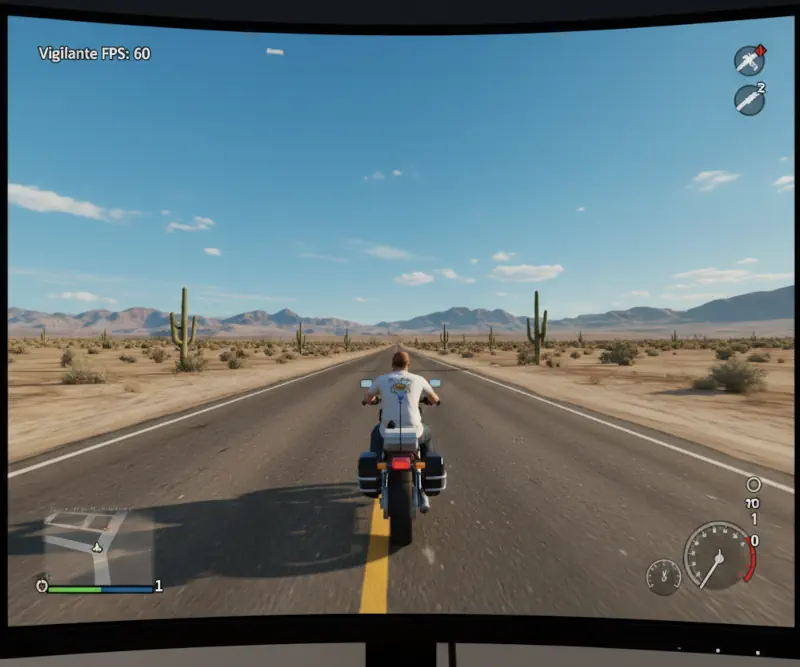
For decades, the Grand Theft Auto modding community faced a hard wall: RenderWare’s physics engine. In the original PC port of San Andreas, exceeding the 25–30 FPS limit didn’t just make the game smoother; it broke it. Vehicles would stop on a dime, CJ would swim like he was stuck in molasses, and the “burning desire” of fire would extinguish instantly. Most players were forced to choose between “cinematic” (choppy) 25 FPS or a broken, unplayable mess.
Framerate Vigilante is the definitive “soul-saver” for the classic trilogy. Developed by the veteran Junior_Djjr, this .ASI plugin doesn’t just unlock the frame rate—it rewrites how the game calculates time. It decouples the physics delta-time from the frame rendering, ensuring that even at 144Hz, the driving physics, gravity, and animations remain 1:1 with the original intended experience.
What sets this apart from basic frame limiters is its “Dev-Craft.” It’s a surgical fix that addresses specific hardcoded bugs. Whether you’re chasing Tenpenny or just cruising through Los Santos, the game finally feels “right” on modern high-refresh monitors. It is, quite simply, the first mod any HelixPedia reader should install after downgrading their game.
🎯 Target Audience
- Play this if: You have a monitor faster than 60Hz and want to play the classic version without the physics breaking.
- Similar to: SilentPatch, MixSets, SkyGfx.
🛠️ How to Install Framerate Vigilante Guide
- Downgrade: Ensure your game is version 1.0 (US). Use the San Andreas Downgrader if you are on the Steam or Rockstar Launcher versions.
- ASI Loader: Download and install Silent’s ASI Loader (place
vorbisFile.dllandvorbisHooked.dllin your root folder). - Deploy Plugin: Download the Framerate Vigilante ZIP. Move
FramerateVigilante.SA.asiandFramerateVigilante.SA.iniinto your game’s root directory or thescriptsfolder if you use ModLoader.
- Friction Rating: Easy.
📦 Claim Your Mod
To download Framerate Vigilante, use the links below:
- Primary Source: MixMods (Official)
- Official Mirror: GitHub (Source Code)
DOWNLOAD FRAMERATE VIGILANTE NOW
- HelixPedia Pro-Tip: Open the
.inifile and setMaxFPS = 0to let your GPU breathe, or cap it exactly to your monitor’s refresh rate for the smoothest possible frame-pacing.