GInput for GTA San Andreas Classic: The HelixPedia Review
STATUS: ✅ VERIFIED & STABLE
PERFORMANCE: Light
COMPATIBILITY: GTA SA v1.0 (Downgraded recommended)
⚡ HelixPedia Rating & Impressions
- Fun Meter: 🔥🔥🔥🔥🔥 (5/5) – Total game-changer for accessibility and comfort.
- Educational Value: 🎓🎓🎓 (3/5) – Teaches the importance of XInput vs DirectInput standards.
- Dev-Craft: 🛠️🛠️🛠️🛠️🛠️ (5/5) – Silent’s code is legendary for its cleanliness and stability.
- Lore-Friendliness: 🎭🎭🎭🎭🎭 (5/5) – Restores the original “feel” of the PS2/Xbox experience.
- Nostalgia Kick: 🕹️🕹️🕹️🕹️ (4/5) – Feels like sitting on your living room floor in 2004.
📝 GInput Review: Why We Picked It
Grand Theft Auto: San Andreas is a masterpiece of open-world design, but its native PC controller support is, frankly, a relic of a darker era. For years, PC players struggled with “DirectInput” limitations, leading to messily mapped buttons, lack of vibration, and the dreaded “inverted-everything” camera. GInput doesn’t just patch these issues; it completely surgicaly replaces the game’s input handling system with modern XInput support.
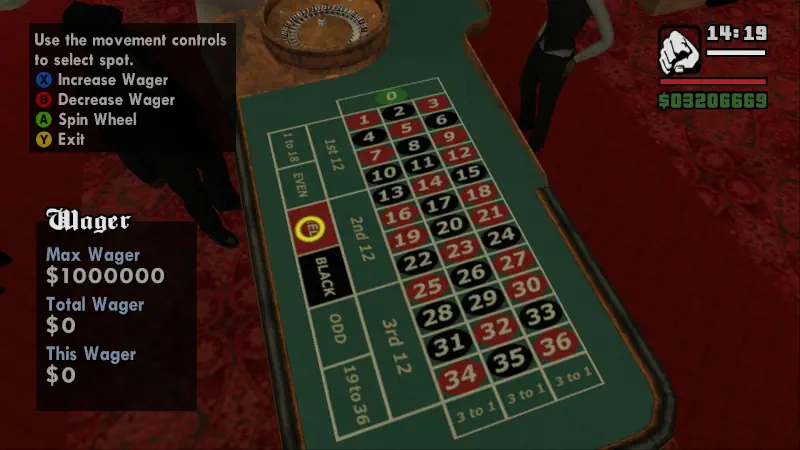
What makes GInput the “Gold Standard” for the HelixPedia archive is its attention to the “soul” of the game. It doesn’t just make the controller work; it restores features that were actually cut from the PC port, such as proper haptic vibration and pressure-sensitive triggers. Whether you want the classic PS2 button layout or a modern GTA IV-style control scheme, GInput handles the transition seamlessly.
From a technical standpoint, the “Dev-Craft” here is impeccable. Created by Silent, a titan in the GTA modding scene, GInput is highly optimized with a negligible performance footprint. It includes high-quality button prompts (icons) for both Xbox and PlayStation controllers, ensuring that the UI feels native rather than hacked together. It is an essential foundation for anyone looking to play the Classic version on a modern rig or Steam Deck.
The mod also features an “Auto-Switch” mechanic. If you’re sniping with a mouse but want to drive with a pad, the game detects the input change instantly without needing to toggle menus. It is this level of polish—the “set it and forget it” reliability—that makes GInput an absolute mandatory install for the HelixPedia collection.
🎯 Target Audience
- Play this if: You want to play GTA San Andreas with a modern controller (Xbox Series, PS5, etc.) and want it to feel exactly like the console versions.
- Similar to: SilentPatch, Widescreen Fix, SkyGfx.
- This mod is part of the essential modding tools and must-have fixes for GTA SA Classic, tagged as recommended.
🛠️ How to Install GInput Guide
- Downgrade: Ensure your game is version 1.0 (Steam/Rockstar Launcher versions require a Downgrader tool).
- ASI Loader: Download and place
vorbisFile.dllandvorbisHooked.dll(Silent’s ASI Loader) into your main game folder. - Deploy Mod: Copy
GInputSA.asiandGInputSA.iniinto the game root or ascriptsfolder. Move themodelsfolder from the download into your game directory to enable controller icons, or thescriptsfolder if you use ModLoader.
- Friction Rating: Easy.
📦 Claim Your Mod
To download GInput, use the links below:
- Primary Source: CookiePLMonster (Silent’s Official Blog)
- Official Mirror: GTAGarage
- HelixPedia Pro-Tip: Open
GInputSA.iniand look forControlsSet. Changing this to2will give you a GTA IV-style layout (triggers for gas/brake), which feels much more natural for modern players.