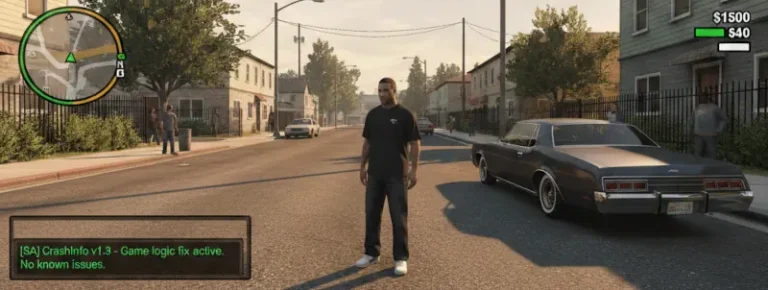
![GTA San Andreas Classic Mod [SA] MixSets: Impressions and Download Options HelixPedia](https://helixpedia.com/media/2026/02/GTA-San-Andreas-Classic-Mod-SA-MixSets-Impressions-and-Download-Options-HelixPedia.webp)
[SA] MixSets for GTA San Andreas Classic: The HelixPedia Review
STATUS: ✅ VERIFIED & STABLE
PERFORMANCE: Light / Regular (Config Dependent)
COMPATIBILITY: GTA SA v1.0 (US/EU)
⚡ HelixPedia Rating & Impressions
- Fun Meter: 🔥🔥🔥🔥🔥 (5/5) – Total control over every micro-mechanic makes the game a personal sandbox.
- Educational Value: 🎓🎓🎓🎓 (4/5) – The
.inifile is a masterclass in understanding game engine variables. - Dev-Craft: 🛠️🛠️🛠️🛠️🛠️ (5/5) – JuniorDjjr’s cleanest work; lightweight, efficient, and exceptionally stable.
- Lore-Friendliness: 🔥🔥🔥🔥🔥 (5/5) – Fixes “broken” original features without shattering the 2004 aesthetic.
- Nostalgia Kick: 🕹️🕹️🕹️🕹️ (4/5) – It doesn’t change the game’s soul, it just makes the original soul work better.
📝 [SA] MixSets Review: Why We Picked It
MixSets isn’t just a mod; it’s a surgical reconstruction of how GTA San Andreas operates under the hood. Developed by the legendary JuniorDjjr and the MixMods team, this ASI plugin consolidates hundreds of small fixes, toggles, and performance tweaks into a single, elegant configuration file. Instead of cluttering your scripts folder with fifty different “Fix” mods, MixSets handles everything from grass density and traffic logic to modern FPS fixes and stream memory limits.
What makes MixSets truly special is its “soul.” It respects the original vision of Rockstar North while acknowledging that 20+ years of hardware advancement requires a different approach to memory management. It fixes the infamous “flickering textures” by allowing you to bump the Stream Memory beyond the archaic 256MB limit, and it restores subtle features like the PS2-style sun glare and camera behavior that were lost in the original PC port.
From a technical standpoint, the code is incredibly clean. It’s an ASI plugin that hooks directly into the game’s memory, meaning there’s zero impact on your save files and minimal overhead on your CPU. It’s the “Swiss Army Knife” of modding—essential for anyone who wants a definitive, stable, and modernized version of the classic San Andreas experience without losing the “Classic” feel.
🎯 Target Audience
- Play this if: You want to fix bugs and improve performance without changing the game’s core visuals, or if you’re a “tweaker” who loves fine-tuning every aspect of gameplay.
- Similar to: SilentPatch, GInput, SkyGfx.
- This mod is part of the essential modding tools and must-have fixes for GTA SA Classic, tagged as recommended.
🛠️ How to Install [SA] MixSets Guide
- Ensure you have an ASI Loader installed (comes with CLEO or as a standalone
vorbisFile.dll– Silent’s ASI Loader), and your game is version 1.0. - Download the MixSets archive and extract the
MixSets.asiandMixSets.inifiles. - Move both files into your root GTA San Andreas folder (or your
modloaderfolder if you prefer organized modding). - (Optional but Recommended): Open
MixSets.iniwith Notepad++ to customize your experience—specifically theStreamMemoryandProcessPrioritysettings.
- Friction Rating: Easy.
📦 Claim Your Mod
To download [SA] MixSets, use the links below:
- Primary Source: MixMods Official
- Official Mirror: GitHub Repository
- HelixPedia Pro-Tip: If you are using high-definition texture packs (like RoSA Project), set
StreamMemoryin the.inito1024or2048. This prevents the “disappearing world” glitch that occurs when the game runs out of memory to load assets!