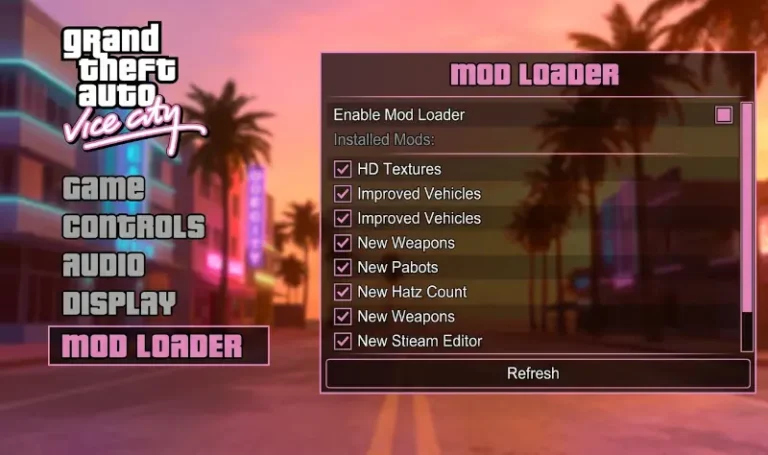
Grand Theft Auto: Vice City is a masterpiece of atmosphere, but the “Classic” PC version is notoriously fragile on modern Windows 11/10 systems. This guide provides a professional “infrastructure-first” approach: we build a stable foundation that allows you to add high-definition assets and scripts without the constant threat of “Access Violation” crashes or broken physics.
Pre-Modding Checklist
- The v1.0 Executable (Mandatory): Most modern plugins, including SilentPatch and ModLoader, require the original v1.0 “No-CD” executable to function. Modern digital versions (Steam/Rockstar) must be downgraded first.
- DirectPlay: Ensure “DirectPlay” is enabled in your Windows Legacy Features; otherwise, the game may fail to launch entirely.
- Isolate Your Install: Always keep a “Clean” backup of your game folder. We will use ModLoader to ensure the original files are never overwritten.
Similar to GTA Essential Tools & Must-Have Fixes for: GTA 3, Vice City, San Andreas, GTA IV, GTA V.
Tier 1: The Absolute Essentials (Global Dependencies)
These tools are the “Skeleton” of your modded game. They don’t just add features; they fix the game’s fundamental inability to run on modern hardware.
- ModLoader
The most important tool for a clean installation. Instead of replacing files in your gta3.img or data folders, you simply drop mod folders into the /modloader/ directory. It “injects” them at runtime, meaning you can uninstall any mod by just deleting a folder.
- SilentPatch VC
The definitive “All-in-One” fix. It addresses the infamous mouse-lock bug, restores the PS2-exclusive environmental effects, fixes the “A: Drive” disk check, and corrects dozens of script errors that Rockstar left in the final PC build.
- Ultimate ASI Loader
A simple .dll file that allows the game to load custom .asi plugins. This is the “bridge” required for ModLoader and SilentPatch to work.
- Widescreen Fix (by ThirteenAG)
Essential for 16:9 and 21:9 monitors. It doesn’t just stretch the image; it fixes the FOV, corrects the HUD scaling, and aligns the crosshair so your bullets actually hit where you aim.
- CLEO Library (VC)
The standard engine for custom scripts. Whether you want to add a “Parked Car” mod or a complex gameplay mechanic, CLEO is the platform that handles the code.
Tier 2: Performance & Gameplay Stability
- Framerate Vigilante
The Vice City engine breaks if you play above 30 FPS (cars stop too fast, peds behave strangely). This plugin “detaches” the physics from the frame rate, allowing smooth 60+ FPS gameplay without breaking the game’s logic.
- GInput
Restores full support for modern Xbox and PlayStation controllers, including the vibration and correct button icons. It mimics the feel of the original console experience on your PC.
- III.VC.SA.LimitAdjuster
Modern mods often exceed the 2002 engine’s memory limits. This tool “opens” those limits to prevent crashes when using high-res textures or heavy vehicle packs.
The “HelixPedia Choice”: Recommended Quality of Life Mods
These five mods are not “fixes,” but they are highly recommended to ensure the game doesn’t feel like a relic from 2002.
- SkyGfx: Restores the “PS2 Atmosphere” filters, sun glare, and real-time reflections that were lost in the PC port.
- Vice City Retextured: AI-upscaled environment textures that stay 100% faithful to the original art style while looking sharp in 4K.
- Project Props: Adds thousands of manually placed objects (trash, benches, boxes) to make the city feel lived-in and detailed.
- Classic HD Effects: Overhauls fire, smoke, and water effects using high-definition assets that match the 80s aesthetic.
- Extended Features: Adds modern conveniences like climbing fences, better aiming, and a weapon wheel.
Author Note: Use the ModLoader for everything in the “Recommended” list. It allows you to experiment with different texture packs or gameplay mods without ever risking a “broken” installation. If you don’t like a mod, just move its folder out of the /modloader/ directory. — HELIX