Widescreen Fix for GTA 3 Classic: The HelixPedia Review
STATUS: ✅ VERIFIED & STABLE
PERFORMANCE: Light
COMPATIBILITY: v1.0, v1.1, Steam
⚡ HelixPedia Rating & Impressions
- Fun Meter: 🔥🔥🔥🔥🔥 (5/5) – It doesn’t add content, but it runs the game flawlessly on modern displays.
- Educational Value: 🎓🎓🎓 (3/5) – Highlights the evolution of aspect ratios in gaming history.
- Dev-Craft: 🛠️🛠️🛠️🛠️🛠️ (5/5) – Seamless integration that feels like an official engine update.
- Lore-Friendliness: 🎭 (1/5) – Zero impact on lore; purely a visual fidelity correction.
- Nostalgia Kick: 🕹️🕹️🕹️🕹️ (4/5) – Removes the “squashed” look of the past for a crisp modern view.
📝 Widescreen Fix Review: Why We Picked It
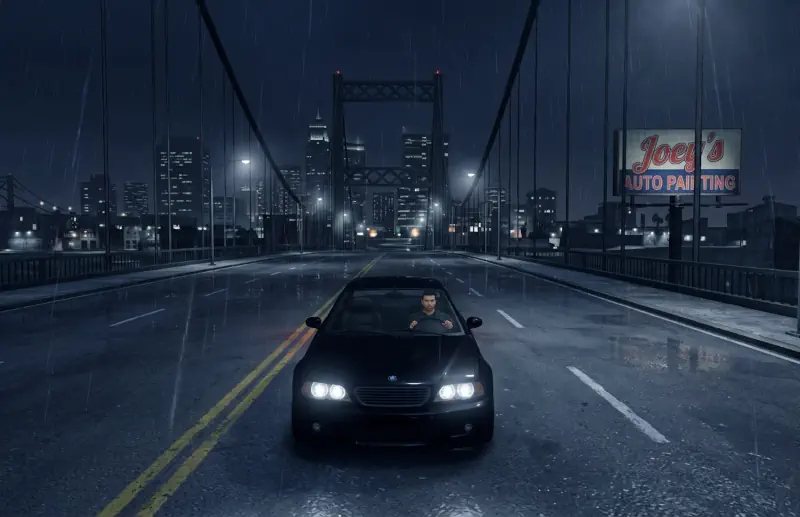
In 2001, the world was square. GTA III was designed for 4:3 CRT monitors, meaning that when played on modern 16:9 or 21:9 displays, the entire world—including Claude, the cars, and the UI—becomes horizontally stretched and distorted. The Widescreen Fix by ThirteenAG (via FusionFix) is the definitive solution to this “fat Claude” syndrome, recalibrating the internal camera and HUD elements to match contemporary hardware.
What makes this specific fix the industry standard is its attention to detail regarding the User Interface. Most basic fixes simply stretch the 2D elements, but this mod correctly scales the mini-map, health bars, and weapon icons so they retain their original proportions. It effectively de-ages the game’s presentation, making the transition from a modern title back to this classic far less jarring for the eyes.
Under the hood, the code is remarkably clean. It hooks into the game’s memory to adjust the Field of View (FOV) dynamically, preventing the “zoomed-in” feeling that often occurs when forced into widescreen. For anyone looking to preserve the aesthetic integrity of Liberty City while utilizing a 4K or Ultrawide monitor, this mod is a non-negotiable requirement for your load order.
🎯 Target Audience
- Play this if: You are playing on any monitor made after 2005 and want the game world to look geometrically correct.
- Similar to: Widescreen Fix for Vice City and San Andreas, SilentPatch, GInput, SkyGfx.
- Featured on: The Ultimate GTA 3 Classic Guide: Best Mods, Must-Have Tools & Essential Fixes, tagged as essential.
🛠️ How to Install Widescreen Fix Guide
- Download the
GTA3.WidescreenFix.zipfrom the link below. - Extract the contents (usually a
scriptsfolder and adinput8.dllorvorbisFile.dll) into your GTA III root directory. - Launch the game; the mod will automatically detect your monitor’s native resolution.
- Friction Rating: Easy.
📦 Claim Your Mod
To download Widescreen Fix, use the links below:
- Primary Source: FusionFix Official
- Official Mirror: N/A
- HelixPedia Pro-Tip: You can further customize your FOV and HUD size by editing the
GTA3.WidescreenFix.inifile located in thescriptsfolder. If you feel the camera is too close to Claude’s back, a slight bump to the FOV value works wonders.