GInput for GTA 3 Classic: The HelixPedia Review
STATUS: ✅ VERIFIED & STABLE
PERFORMANCE: Light
COMPATIBILITY: v1.0, v1.1, Steam, Rockstar Games Launcher
⚡ HelixPedia Rating & Impressions
- Fun Meter: 🔥🔥🔥🔥🔥 (5/5) – Transforms the clunky PC handling into a smooth, console-like joyride.
- Educational Value: 🎓🎓🎓 (3/5) – Shows the stark difference between legacy DirectInput and modern XInput standards.
- Dev-Craft: 🛠️🛠️🛠️🛠️🛠️ (5/5) – Another masterpiece by Silent; handles input interrupts and haptics flawlessly.
- Lore-Friendliness: 🎭🎭🎭🎭🎭 (5/5) – Restores the “intended” console feel, though purists might miss the mouse-aim “jank.”
- Nostalgia Kick: 🕹️🕹️🕹️🕹️ (4/5) – Finally makes your Xbox or PlayStation controller vibrate just like it did in 2001.
📝 GInput Review: Why We Picked It
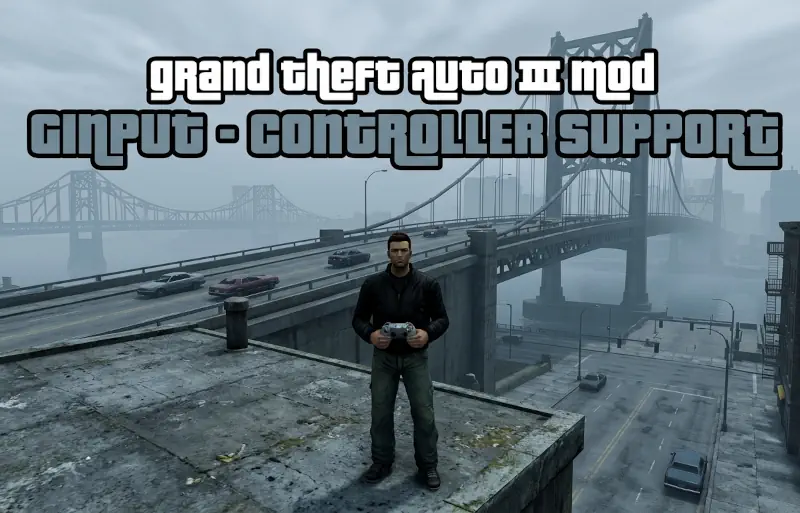
Grand Theft Auto III was a trailblazer, but its original PC port’s controller support was—to put it lightly—an afterthought. If you’ve ever tried plugging in a modern Xbox or DualSense controller only to find the triggers don’t work or the camera spins wildly, you know the frustration. GInput (Grand Input) is the surgical fix for this, completely ripping out the antiquated DirectInput system and replacing it with modern XInput support.
Why is this essential? Beyond just making buttons work, GInput restores features that were actually cut from the PC version. This includes proper vibration feedback and pressure-sensitive button logic. It also introduces a “GTA IV-style” control scheme, which is a godsend for players accustomed to modern camera controls and drive-by mechanics. The mod even intelligently swaps on-screen prompts; if you use a DualShock, you’ll see Square and Circle; if you use an Xbox pad, you’ll see X and B.
What truly impresses us is the “Hot Swap” capability. You can drive with a controller and seamlessly reach for your mouse to take a sniper shot without the game hitching or needing a menu restart. It’s a level of polish that Rockstar’s official “Definitive Edition” often struggled to maintain. For the “Classic” purist who wants a relaxed, couch-gaming experience in Liberty City, GInput is the bridge between 2001 soul and 2026 hardware.
🎯 Target Audience
- Play this if: You want to play with a controller without mapping software, or you miss the haptic vibration feedback from the PS2 era.
- Similar to: GInput for Vice City/San Andreas, SilentPatch, SkyGfx (for the console-visual pairing).
- Featured on: The Ultimate GTA 3 Classic Guide: Best Mods, Must-Have Tools & Essential Fixes, tagged as essential.
🛠️ How to Install GInput Guide
- Download the GInput archive from the primary source below.
- Move
GInputIII.asiandGInputIII.iniinto your GTA III root folder. - Move the contents of the
modelsfolder in the ZIP to themodelsfolder in your game directory (this adds the button icons). - Note: Requires an ASI Loader (like the one included with SilentPatch).
- Friction Rating: Easy.
📦 Claim Your Mod
To download GInput, use the links below:
- Primary Source: Silent’s Blog
- Official Mirror: GTAForums
- HelixPedia Pro-Tip: Check the
GInputIII.inifile for theControlsSetvariable. Setting this to5enables the “GTA IV” layout, allowing you to use the triggers for acceleration and braking—a must-have for modern racing muscle memory.