CLEO 3 for GTA 3 Classic: The HelixPedia Review
STATUS: ✅ VERIFIED & STABLE
PERFORMANCE: Light
COMPATIBILITY: GTA III v1.0 (Retail/Steam Classic)
⚡ HelixPedia Rating & Impressions
- Fun Meter: 🔥🔥🔥🔥🔥 (5/5) – The gateway to infinite gameplay possibilities.
- Educational Value: 🎓🎓🎓🎓 (4/5) – A masterclass in extensible library design.
- Dev-Craft: 🛠️🛠️🛠️🛠️🛠️ (5/5) – Clean, efficient injection with zero overhead.
- Lore-Friendliness: 🎭🎭 (2/5) – Inherently neutral, but enables total lore-breaking.
- Nostalgia Kick: 🕹️🕹️🕹️🕹️ (4/5) – The original engine’s best friend since the early 2000s.
📝 CLEO 3 Review: Why We Picked It
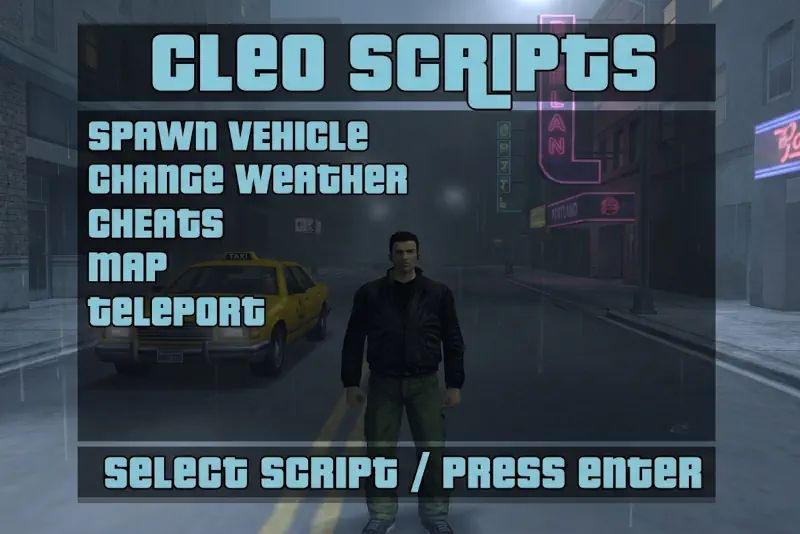
CLEO 3 isn’t just a mod; it’s the foundational architecture that saved the GTA III modding scene from stagnation. While the base game’s scripting language is notoriously rigid, CLEO introduces an external plugin system that allows new scripts to run without replacing the main main.scm file. This means you can add dozens of new features—from parkour to weapon spawners—without the risk of corrupting your primary save file or conflicting with other major overhauls.
From a technical standpoint, the “Dev-Craft” here is impeccable. Originally developed by Seemann for San Andreas and ported to GTA III by Alien (with later refinements by Silent and ThirteenAG), the library operates as an .asi plugin. It hooks into the game’s memory to execute custom opcodes, providing a level of stability that was unheard of in the early days of Liberty City modding.
The “soul” of CLEO lies in its community-driven nature. By installing this, you aren’t just getting a single feature; you are unlocking a library of thousands of user-created .cs (CLEO Script) files. It’s the essential first step for anyone looking to modernize the 2001 classic while keeping the original RenderWare engine’s charm intact. It runs with a “Light” performance footprint, ensuring that even legacy hardware won’t feel the sting of the injection.
🎯 Target Audience
- Play this if: You want to add specific features (like a speedometer or car spawner) without overhaul mods, or you’re a developer looking to script for the classic engine.
- Similar to: CLEO for Vice City and San Andreas; ASI Loader, SilentPatch.
- Featured on: The Ultimate GTA 3 Classic Guide: Best Mods, Must-Have Tools & Essential Fixes, tagged as essential.
🛠️ How to Install CLEO 3 Guide
- Downgrade (If needed): Ensure your GTA III executable is version 1.0. Most modern “Classic” versions (like the old Steam version) require a v1.0 patch for ASI loading.
- Library Injection: Download the CLEO 3 package and copy
cleo.asiand thecleofolder into your main GTA III directory. - Script Placement: Place any downloaded
.csmod files into the newly created/cleo/folder.
- Friction Rating: Easy.
📦 Claim Your Mod
To download CLEO 3, use the links below:
- Primary Source: CLEO Library Official
- Official Mirror: GitHub – cleolibrary/III.VC.CLEO
- HelixPedia Pro-Tip: CLEO 3 for GTA III does not support custom save variables in the same way the San Andreas version does. Always check if a script requires an additional “CLEO+ ” plugin or specific
.asidependencies to avoid the “Silent Crash” on startup.