SkyGfx for GTA Vice City Classic: The HelixPedia Review
STATUS: ✅ VERIFIED & STABLE
PERFORMANCE: Light
COMPATIBILITY: v1.0, v1.1, Steam (with ASI Loader)
⚡ HelixPedia Rating & Impressions
- Fun Meter: 🔥🔥🔥🔥🔥 (5/5) – Seeing Vice City in its true neon glory is a transformative experience.
- Educational Value: 🎓🎓🎓🎓 (4/5) – A masterclass in how RenderWare handled pipelines across different hardware.
- Dev-Craft: 🛠️🛠️🛠️🛠️🛠️ (5/5) – Impeccable code by aap; the “gold standard” for technical GTA restoration.
- Lore-Friendliness: 🎭🎭🎭🎭🎭 (5/5) – This is the lore. It restores the original artistic intent of Rockstar North.
- Nostalgia Kick: 🕹️🕹️🕹️🕹️🕹️ (5/5) – Instantly transports you back to a 2002 living room with a CRT television.
📝 SkyGfx Review: Why We Picked It
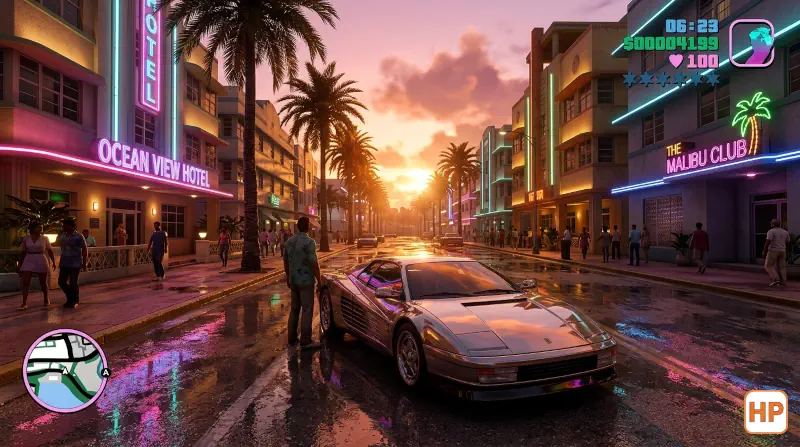
For years, the PC port of Grand Theft Auto: Vice City was considered the “definitive” way to play, yet it always felt… off. The lighting was sterile, the cars lacked that iconic “sheen,” and the sunsets felt flat. SkyGfx (short for Sky Graphics, named after RenderWare’s PS2 graphics engine) is the surgical tool that fixes this. It doesn’t just add filters; it replaces the PC’s broken rendering pipelines with the original PS2 and Xbox code, bringing back the “trails” effect, dual-pass alpha rendering, and the heavy atmosphere that defined the 3D era.
What makes SkyGfx a HelixPedia staple is its technical elegance. Unlike modern ENB presets that brute-force “realism” with heavy shaders, SkyGfx is incredibly lightweight. It fixes the “transparent wind-shield” bugs and restores the accurate PS2 color modulation. When you drive through Ocean Drive at night with the neoCarPipe enabled, the neon reflections on the car bodies look exactly how they were meant to look in 1986—and 2002.
From a “Dev-Craft” perspective, this mod is a feat of reverse engineering. It offers granular control through a simple .ini file, allowing users to mix and match features. Want the PS2’s orange-tinted sunsets but the Xbox’s high-resolution car reflections? SkyGfx handles it with zero stability issues. It’s not just a mod; it’s a restoration project that respects the “soul” of the game.
Ultimately, we chose SkyGfx because it proves that “better graphics” doesn’t always mean more polygons or higher resolutions. Sometimes, it just means getting the lighting and the atmosphere right. For anyone playing the Classic version of Vice City, this isn’t an optional add-on—it’s the baseline requirement for an authentic experience.
🎯 Target Audience
- Play this if: You find the PC version’s lighting too “dry” or “clean,” and you want the authentic, moody PS2 aesthetic.
- Similar to: SkyGfx for GTA III and San Andreas, SilentPatch (essential companion), Ginput, and Widescreen Fix.
- Featured on: The Ultimate GTA Vice City Classic Guide: Best Mods, Must-Have Tools & Essential Fixes, tagged as recommended.
🛠️ How to Install SkyGfx Guide
- Prerequisite: Ensure you have an ASI Loader installed (usually comes with SilentPatch or Ultimate ASI Loader).
- Transfer Files: Extract the contents of the
.zip(specificallyskygfx.asiand theskygfxfolder) into your GTA Vice City root directory. - Configure: Open
skygfx.inito toggle between PS2, Xbox, or PC pipelines. We recommend settingdualPass=1to fix transparency bugs.
- Friction Rating: Easy.
📦 Claim Your Mod
To download SkyGfx, use the links below:
- Primary Source: GitHub (aap/skygfx_vc)
- Official Mirror: GTAForums Discussion & Support
- HelixPedia Pro-Tip: If you are using “Proper Fixes” or high-poly car mods, ensure you set
buildingPipe=PS2in the.ini. This prevents the “missing textures” or crashing issues often associated with the default PC building pipeline when handling complex vertex data.